Field Service Ver. 1.0 Apr. 2005 10. Service Mode
95
ineo 161
ineo 210
Adjustment / Setting
F. CCD SUB REGIST
G. ADF SUB ZOOM
✽ appears only when the Automatic Document Feeder (DF-502) or Duplexing Document
Feeder (DF-605: ineo 210 only) is installed
Function Test Copy Adjust
Purpose/Use To adjust variations in machining and installation accuracy of different IR parts by vary-
ing the starting position of image scanning in the sub scanning direction.
✽ When the PH Unit has been replaced (After PRN Main Regist, PRN Sub Regist, and
CCD Main Zoom have been adjusted)
✽ When the CCD Unit has been replaced (After the CCD Unit has been adjusted for
correct position)
Setting/
Procedure
Press the Start key to start a test copy
cycle.
Setting range: 60 to 140 (1 step: 0.1 mm)
Adjustment
Procedure
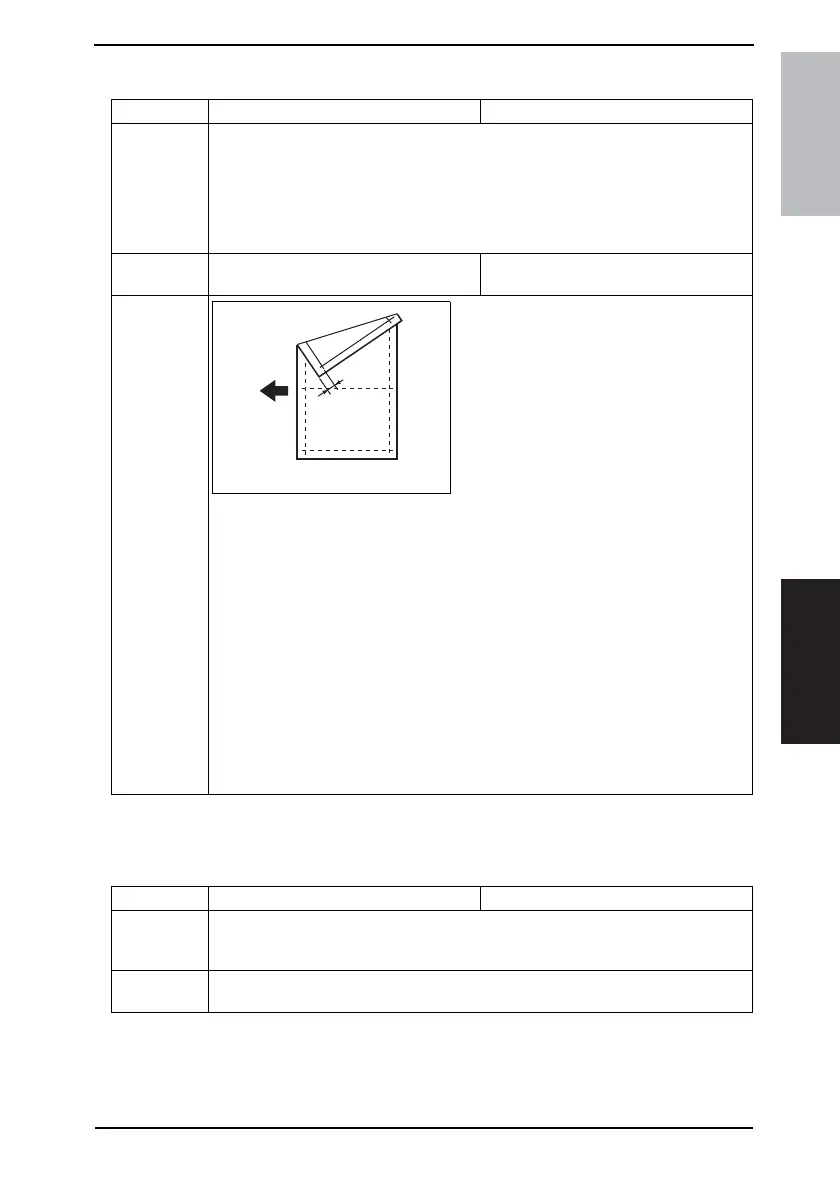
Adjust so that deviation between width B on
the test pattern produced and that on the copy
produced falls within the specified range.
Specifications
0 ± 1.5 mm
1. Load the Paper Feed Tray/1 with A4 crosswise paper.
2. Enter Function of the Service mode.
3. Select “Print Test Pattern” and then “Test Pattern1.” Then, press the Start key.
✽ This will produce a test pattern.
4. Place the test pattern produced in step 3 on the Original Glass and make a copy of it.
5. Place the test pattern (original) on top of the copy and check for deviation in width B.
If the deviation in width B falls outside the specified range, perform the following
steps to make an adjustment.
6. Select “Adjust” of “CCD Sub Regist.”
7. Using [ ▲ / ▼ ] key, select the appropriate setting value.
8. Press the [Yes] key to validate the setting value selected in step 7.
Adjustment Instructions
If the deviation is longer than the specifications, increase the setting value.
If the deviation is shorter than the specifications, decrease the setting value.
If a single adjustment procedure does not successfully bring the deviation into the
specified range, repeat steps 5 through 7.
4035D520AA
B
Function Test Copy Adjust
Purpose/Use To adjust variations in machining and installation accuracy of different parts by varying
the scanning zoom ratio in the sub scanning direction when the Automatic Document
Feeder is used.
Setting/
Procedure
✽ Refer to the option service manual (DF-502, DF-605) for details.










 To Next Page