Field Service Ver. 1.0 Apr. 2005 15. Malfunction code
151
ineo 161
ineo 210
Troubleshooting
15.4 Miscellaneous Errors
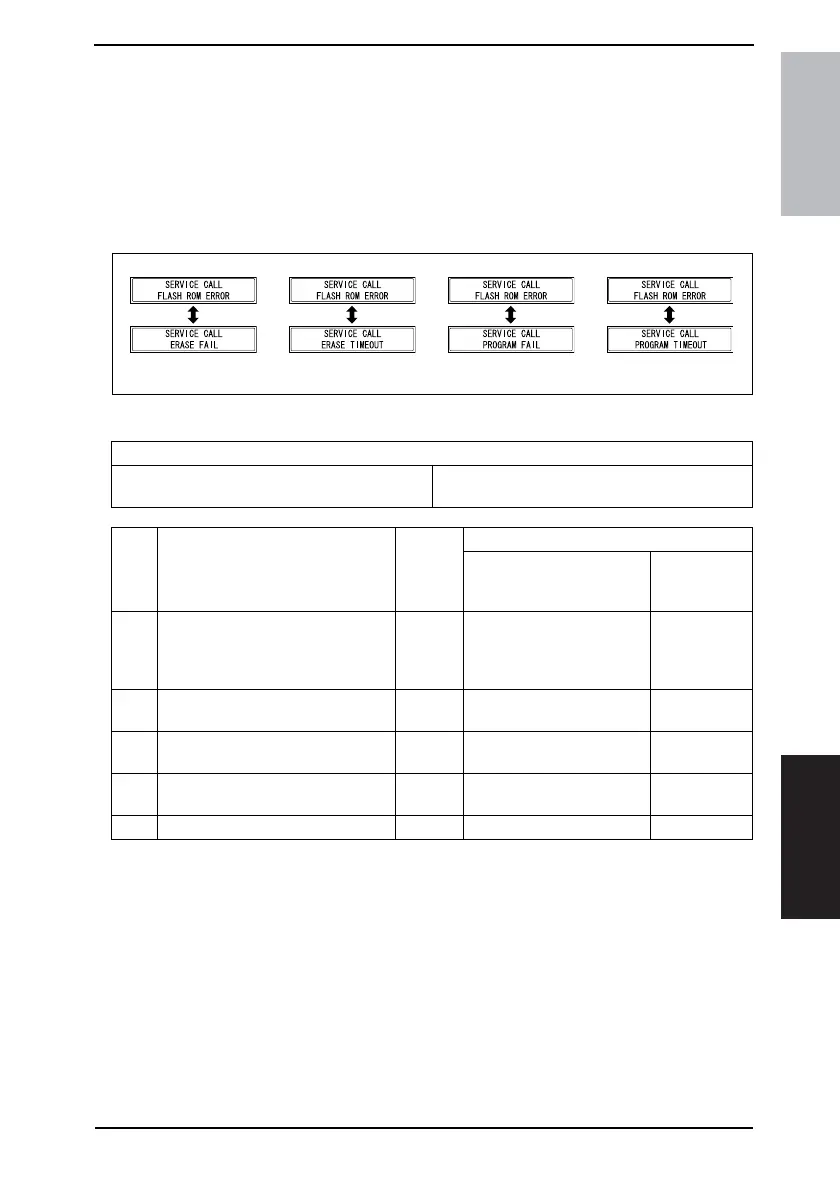
15.4.1 Flash ROM Error
• The copier determines that there is an error if writing to the flash ROM fails during
upgrading of the firmware.
• When the Power Switch is turned ON, the Error indicator lights up steadily and a corre-
sponding message appears on the Display.
• If this error message appears, no operations can then be performed. It is not possible to
upgrade the firmware from a PC connected through USB connection, either.
A. Action
4035T506CA 4035T507CA 4035T508CA 4035T509CA
Relevant Electrical Components
Master Board (PWB-A)
Control Board (PWB-C/C)
Control Panel (UN4)
Parameter Chip (U16)
Step Operations
Ref.
Page
WIRING DIAGRAM
Control signal
Location
(Electrical
Components)
1
Check the connection status of con-
nectors on each board (PWB-A,
PWB-C/C, UN4): If there is any
abnormality, correct it.
–– –
2
Identify the specific firmware that is
responsible for the error.
–– –
3
Perform upgrading of the firmware
through BIOS.
☞ 25 ––
4
Unplug Parameter Chip (U16) from
PWB-C/C and then plug it back in.
–– –
5 Change PWB-C/C. – – –










 To Next Page