3. Periodical check Field Service Ver. 1.0 Apr. 2005
18
ineo 161
ineo 210
Maintenance
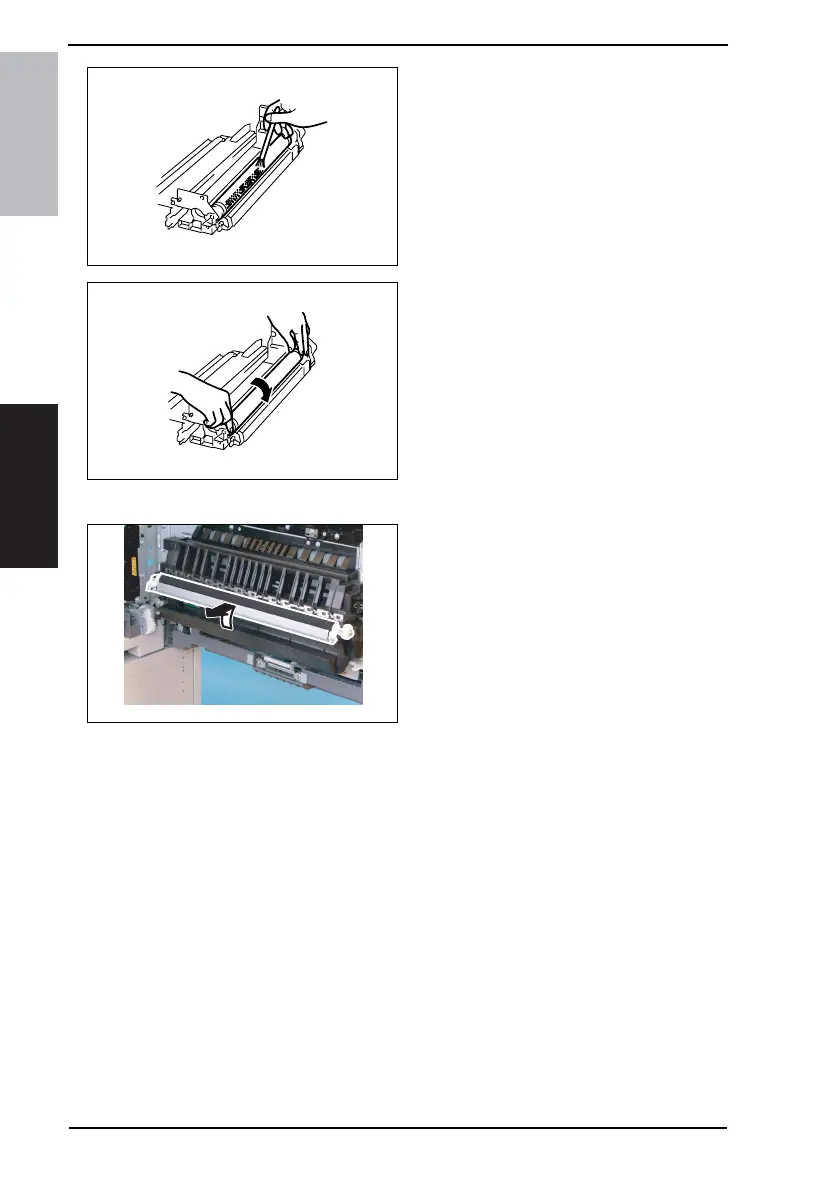
2. Using a brush, apply a light coat of
toner to the surface of the PC Drum.
3. Hold both ends of the PC Drum with
your both hands and turn the PC
Drum a half turn in the direction of
the arrow.
3.3.16 Replacing the Image Transfer Roller Assy
1. Remove the Image Transfer Roller
Assy.
NOTE
• Indentations or dirt on the surface
of the Image Transfer Roller
adversely affect the printed image.
Do not therefore touch or dirty with
toner the surface of the Image
Transfer Roller.
• When handling the Image Transfer
Roller, hold onto the shaft or Bear-
ings of the roller.
• Do not place a new Image Transfer
Roller directly on the floor.
4021U008AB
4021U009AA
4035D042AB










 To Next Page