12. Mechanical adjustment Field Service Ver. 1.0 Apr. 2005
112
ineo 161
ineo 210
Adjustment / Setting
12.3 Adjustment of the Gap between the Doctor Blade and Sleeve
Roller (Db Adjustment)
NOTE
• This adjustment is to be made when an image problem (uneven density, low ID,
gradation reproducibility failure, etc.) occurs.
<Adjustment Standard>
• The gap between the Doctor Blade and the Sleeve Roller should meet the following
specifications.
Specifications
0.39 ± 0.04 mm (as set using the jigs)
1. Remove the Imaging Unit.
2. Separate the Imaging Unit into the Drum Assy and Developing Assy.
3. Remove the PC Drum, Main Erase, PC Drum Charge Corona Assy, and Ozone Filter.
☞ 13
4. Install the Ds Collar Positioning Jigs.
NOTE
• Ready one PC Positioning Jig (Pivot
Shaft) separately. (For details, see
the Parts Manual.)
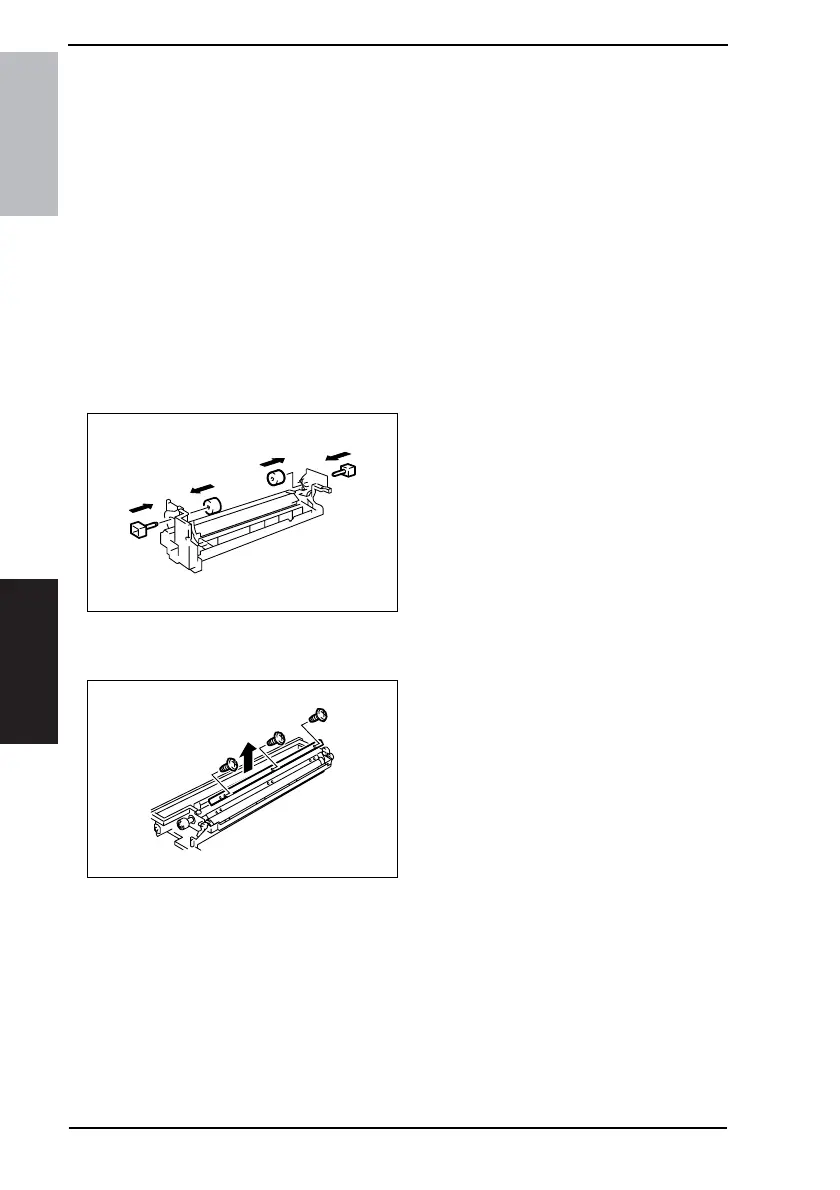
5. Remove the Developer Scattering Prevention Plate.
☞ 15
6. Remove three screws and the Doc-
tor Blade.
4022D018AC
4022D019AB










 To Next Page