14. Jam Display Field Service Ver. 1.0 Apr. 2005
118
ineo 161
ineo 210
Troubleshooting
14. Jam Display
14.1 Misfeed Display
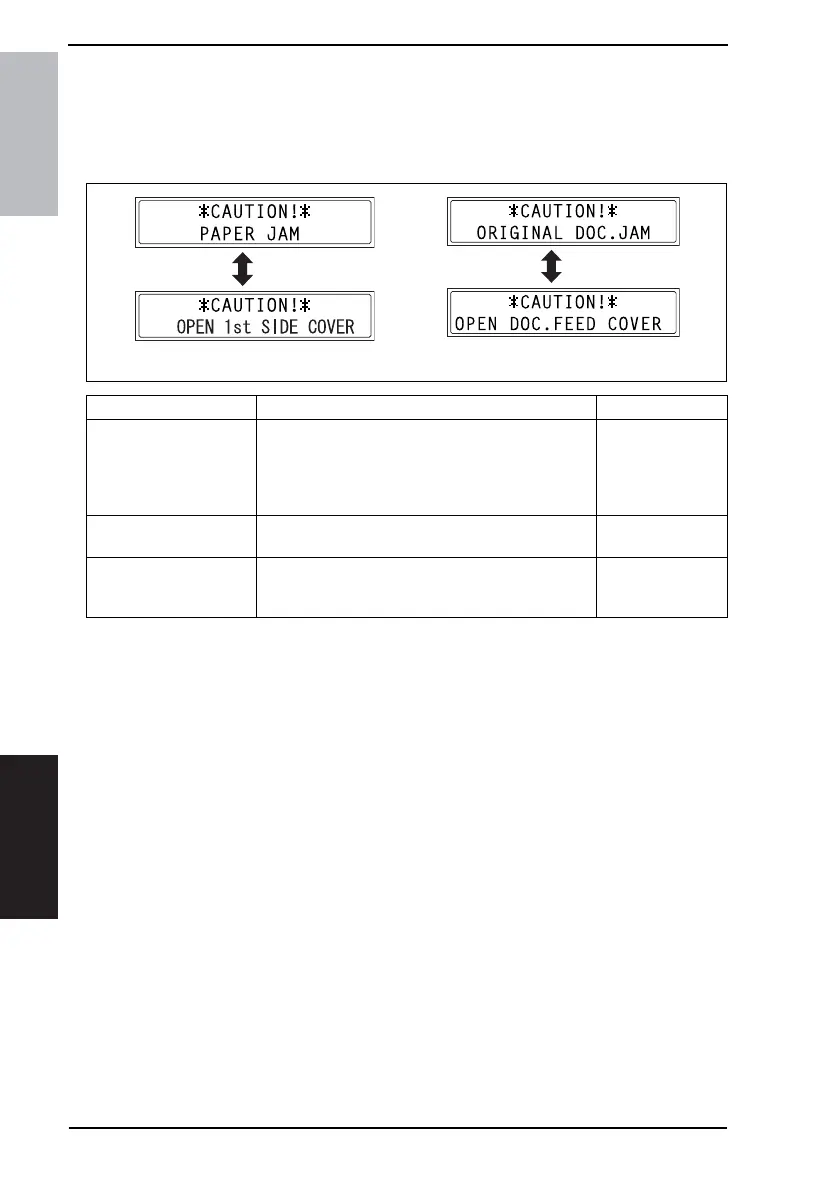
• When a paper misfeed occurs, the Error indicator lights up steadily and the Display gives
a corresponding message.
14.1.1 Display Resetting Procedure
• Open the corresponding cover, clear the sheet of paper misfed, and close the cover.
Display Message Misfeed/Paper Location Ref. Page
OPEN 1st SIDE COVER
Paper take-up section of the Paper Feed Tray/1
Paper take-up section of the Manual Bypass
Paper take-up section of the Multiple Bypass
Paper separating section
Fusing/paper exit section
☞ 121
☞ 122
☞ 123
☞ 125
☞ 126
OPEN 2nd SIDE COVER
Paper take-up/vertical transport section of the Paper
Feed Unit
☞ 124
OPEN DOC. FEED
COVER
Document take-up section
Document transport section
Document exit section
☞ 127
☞ 128
☞ 129
4980P502DA C4506P298CA










 To Next Page