6. Other Field Service Ver. 1.0 Apr. 2005
64
ineo 161
ineo 210
Maintenance
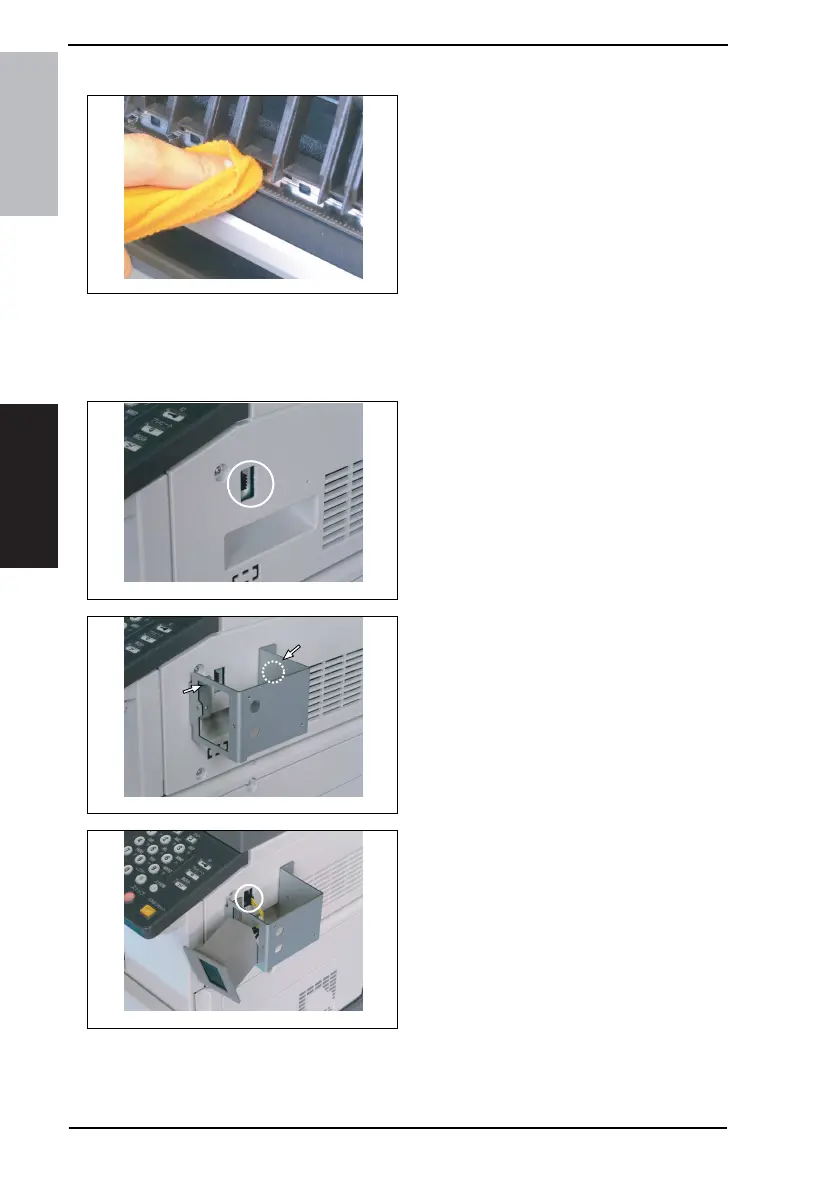
6.4.12 Charge Neutralizing Plate
1. Open the Right Door.
2. Using a soft cloth dampened with
alcohol, wipe the Charge Neutraliz-
ing Plate clean of dirt.
NOTE
• Use care not to allow the Image
Transfer Roller to be touched with
alcohol.
• Do not allow the soft cloth to be
caught by the tip of the Charge Neu-
tralizing Plate.
6.5 Option counter
6.5.1 Installation of the Key Counter
1. Cut out the knockout from the Right
Cover.
2. Using two screws, secure the
counter mounting bracket.
3. Connect the Key Counter Socket
connector.
4035D044AB
4623D001AA
4623D002AA
4623D003AA










 To Next Page