8. Utility Mode Field Service Ver. 1.0 Apr. 2005
70
ineo 161
ineo 210
Adjustment / Setting
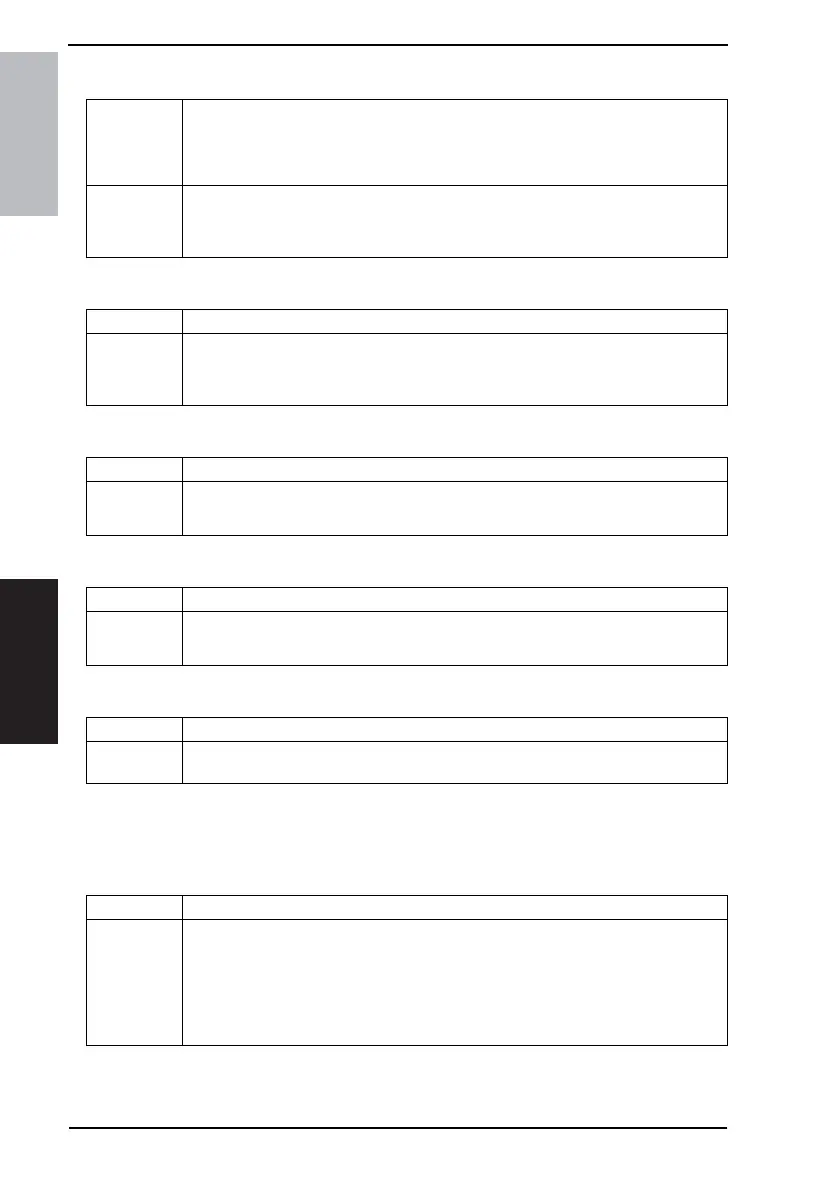
D. DENSITY (ADF)
E. DENSITY (BOOK)
F. PRINT DENSITY
G. LCD CONTRAST
H. LANGUAGE
8.3.2 PAPER SOURCE SETUP
• PAPER SOURCE SETUP is used to make the various settings for the paper source.
A. INCH/METRIC
Purpose/Use To set the reading image density level when the Automatic Document Feeder is used.
NOTE
• The low image density is set as the default value to prevent a dirty copy from
being produced.
Setting/
Procedure
• The default setting is “MODE1.”
“MODE1” : To lower the image density to prevent a dirty copy from being produced.
MODE2 : To produce a copy having an image density equivalent to that of the original.
Purpose/Use To set the reading image density level when the Original Glass is used.
Setting/
Procedure
• The default setting is “MODE1.”
“MODE1” : To produce a copy having an image density equivalent to that of the original.
MODE2 : To lower the image density to prevent a dirty copy from being produced.
Purpose/Use To set the print density.
Setting/
Procedure
• The default setting is “0.”
Setting range: -2 (LIGHT) to +2 (DARK)
Purpose/Use To set the brightness of the LCD display.
Setting/
Procedure
• The default setting is “0.”
Setting range: -1 (LIGHT) to +2 (DARK)
Purpose/Use To select the language displayed on the control panel.
Setting/
Procedure
• Select the desired language and touch [OK] to set the language.
Purpose/Use To select the paper size type for each paper source for automatic paper size detection.
Setting/
Procedure
• The default setting is “METRIC.”
<Step>
1. Select the tray.
TRAY1 TRAY2
2. Select the appropriate paper size type.
INCH “METRIC”










 To Next Page