6. Other Field Service Ver. 1.0 Apr. 2005
46
ineo 161
ineo 210
Maintenance
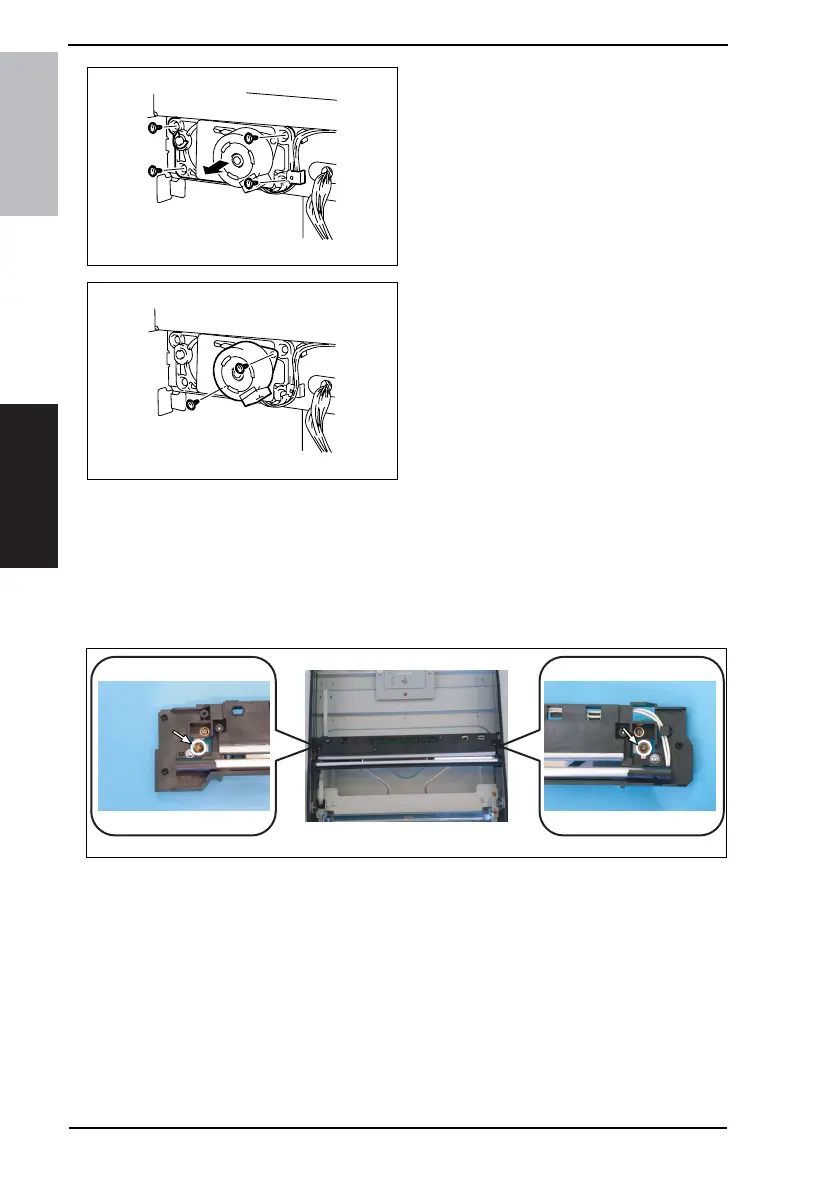
4. Snap off one C-ring.
5. Loosen four screws and remove the
Scanner Motor harness from the
gear case assy.
6. Remove two screws and the Scan-
ner Motor.
6.3.17 Scanner Drive Cables
A. Removal Procedure
1. Remove the Left Cover, Front Cover, Rear Cover, Upper Rear Cover, Right Rear Cover,
Original Glass, and Original Scanning Glass.
☞ 31
2. Loosen two screws (to which red paint has been applied) and remove the Scanner
Assy.
NOTE
• Loosen the two red painted screws to remove the Scanner Assy in this step, which
differs from the removal procedure for the Scanner Assy as a single unit.
4035D533AA
4035D534AA
4035D086AC










 To Next Page