Field Service Ver. 1.0 Apr. 2005 8. Utility Mode
75
ineo 161
ineo 210
Adjustment / Setting
C. OUTPUT PRIORITY
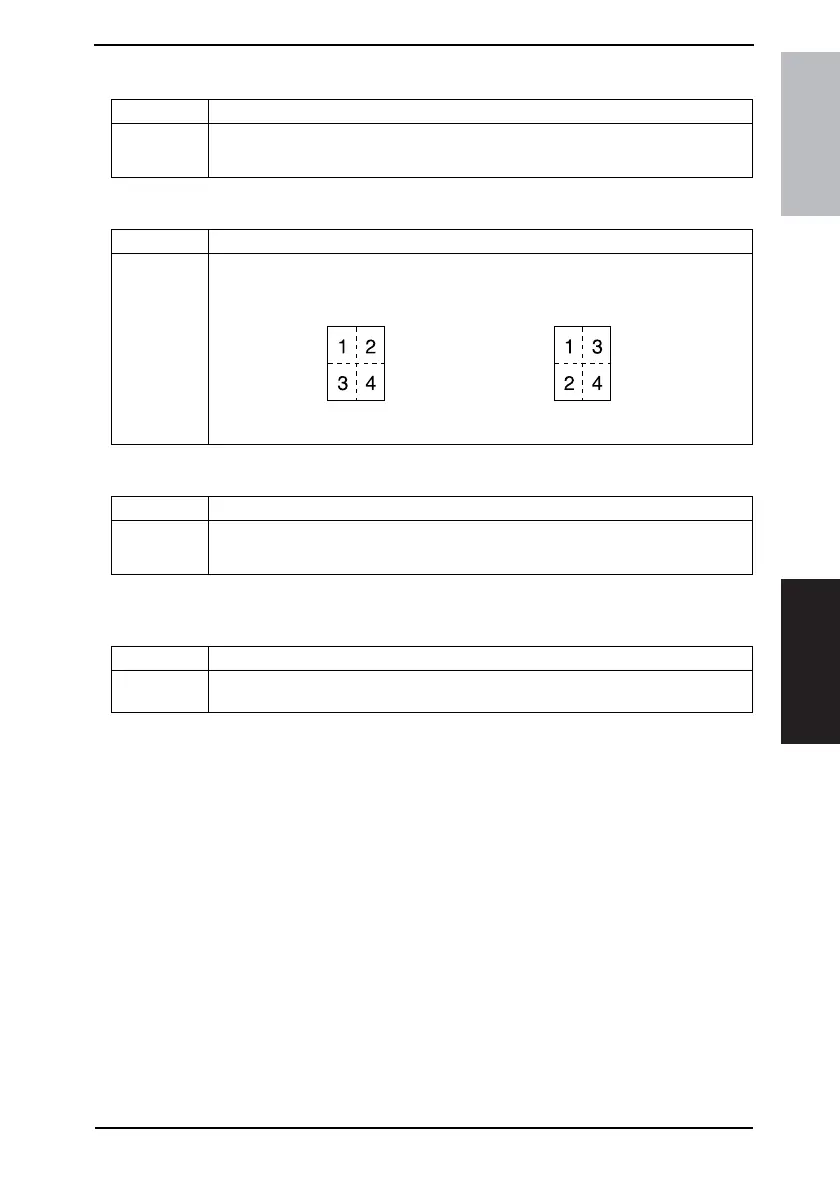
D. 4IN1 COPY ORDER
E. CRISSCROSS MODE
F. DUPLEX COPY
✽ appears only when the AD-504 (ineo 210 only) is installed.
Purpose/Use To set the priority finishing function, either Non-Sort, Sort, or Group.
Setting/
Procedure
• The default setting is “NON.”
“NON” SORT GROUP
Purpose/Use To set the layout of copy images in 4in1 copies.
Setting/
Procedure
• The default setting is “PATTERN1.”
4035S501AA
PATTERN1 PATTERN2
4035S502AA
Purpose/Use To select the crisscross function.
Setting/
Procedure
• The default setting is “ON.”
“ON” OFF
Purpose/Use To select whether to enable or disable 2-sided copying.
Setting/
Procedure
✽ This function should not be used.*










 To Next Page