Manual D900 Operation
49-MD900EN05
25
2.8.2.6.2 Two payment modes
This function allows to select one or two payment modes. To activate or deactivate it select the menu
User Menu Receipt Receipt printing Two payment modes.
► When the parameter is disabled , only one mode of payment will be used in the receipt.
► When the parameter is enabled , two payment modes will be used in the receipt.
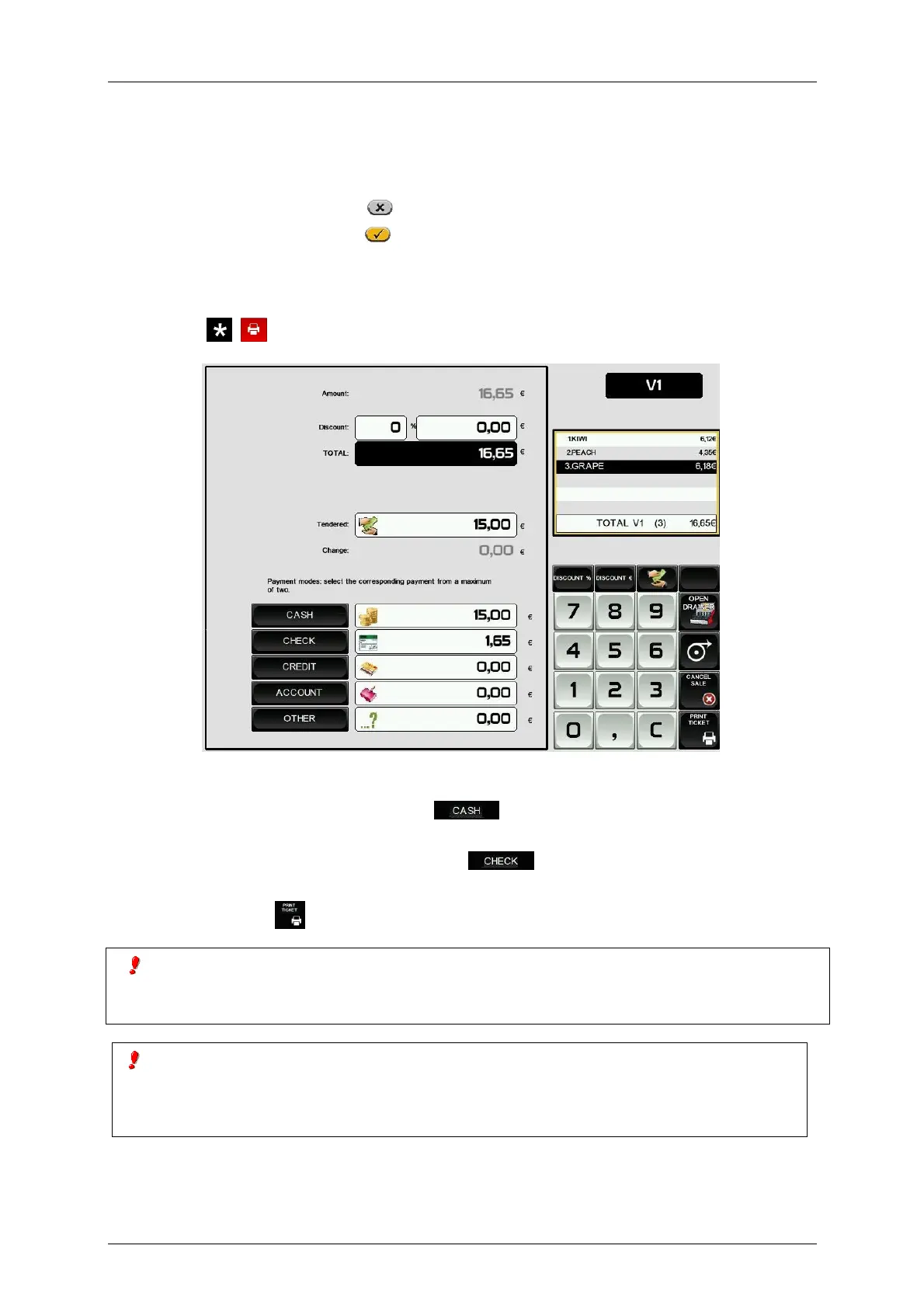
See below an example of working with two payment modes:
- The first payment mode: Cash.
- The second payment mode: Check.
After pressing (
on Receipt-2 mode) and the vendor key, the scale shows the following screen:
1. Enter the discount (if this option is enabled and needed).
2. Press the key of the first payment mode . Enter the quantity paid with the first payment
mode.
3. Press the key of the second payment mode Enter the quantity paid with the second
payment mode.
4. Press Print Ticket . The ticket is printed showing the quantities paid with every payment mode.
In any event, if the amount entered for payment by means of the first form of payment is equal to or
greater than the total due, it is understood that the exact total is paid through one form of payment,
which is the one that has been selected.
If after entering the quantity to pay with the second payment mode, the total quantity to pay is not
completed, the quantity to pay with the first payment mode will raise automatically until the total is
completed. If the first quantity is modified and the total quantity to pay is not completed, the
quantity to pay with the second payment mode will raise automatically.



 To Next Page