DATA
IMPORT
DONE
BACK
DATA
IMPORT
DONE
BACK
DATA
IMPORT
DONE
YOUMUSTREBOOTTHETERMINALTOSAVE
ALLIMPORTEDDATA
REBOOT
TERMINAL
OPERATOR’S MANUAL
CONFIGURATION SETUP
NOTE: A keyboard is required to enter
configuration setup screens.
Enabling the Configuration Passcode will require a user to enter a passcode
independent of the driver ID passcode to enter, view, or change any of the
Configuration Setup screens.
Setting a passcode at the Configuration Setup screen restricts system
settings to only be changed by authorized users with the created passcode.
Once a passcode is enabled, it must be entered to gain entry into the
configuration screens.
NOTE: The unit is shipped with driver
and system passcode settings
disabled.
NOTE: Passcodes can only be entered
as numbers not as alpha
characters or symbols.
To modify Configuration Setup:
1.
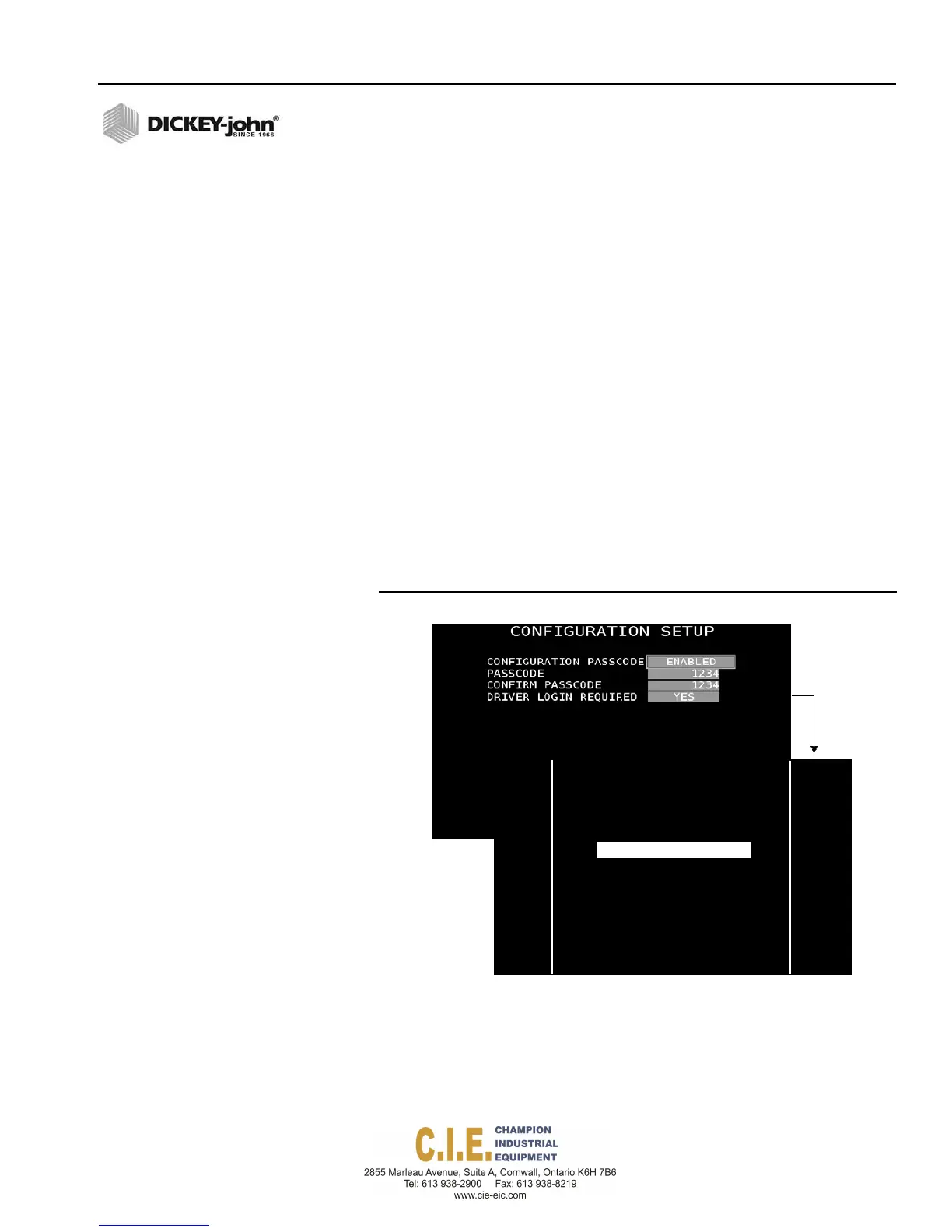
At the Driver Details screen, press 2 to display the Configuration Setup
screen.
2.
Highlight the Configuration Passcode input box and select Enabled.
3.
At the Passcode input box, enter a passcode using numbers only. A
passcode can be entered at this screen or by an attached keyboard.
4.
Retype the passcode again in the Confirm Passcode input box.
5.
At the Driver Login Required input box, select YES to require a driver
to enter a driver passcode as well as the system configuration
passcode. Select NO if a driver login personal passcode is not required
and only the configuration passcode is desired.
Figure 90
Configuration Setup and Configuration Passcode Screens
After a configuration passcode is created, the Configuration Passcode
screen appears to gain entry into any configuration setup screens.
Returning to the Operate screen completes that setup session and requires
re-entry of the passcode again to enter setup screens.
Disabling the passcode setting resets the system allowing full access to
configuration screens.
Flex4 Pro
TM
Control System
6010541 Rev A
SYSTEM PROGRAMMING / 97
ENTERCONFIGURATIONPASSCO DE
1
7
2
8
3
9
4
0
5
6
BACK
ENTER



 To Next Page