OPERATOR’S MANUAL
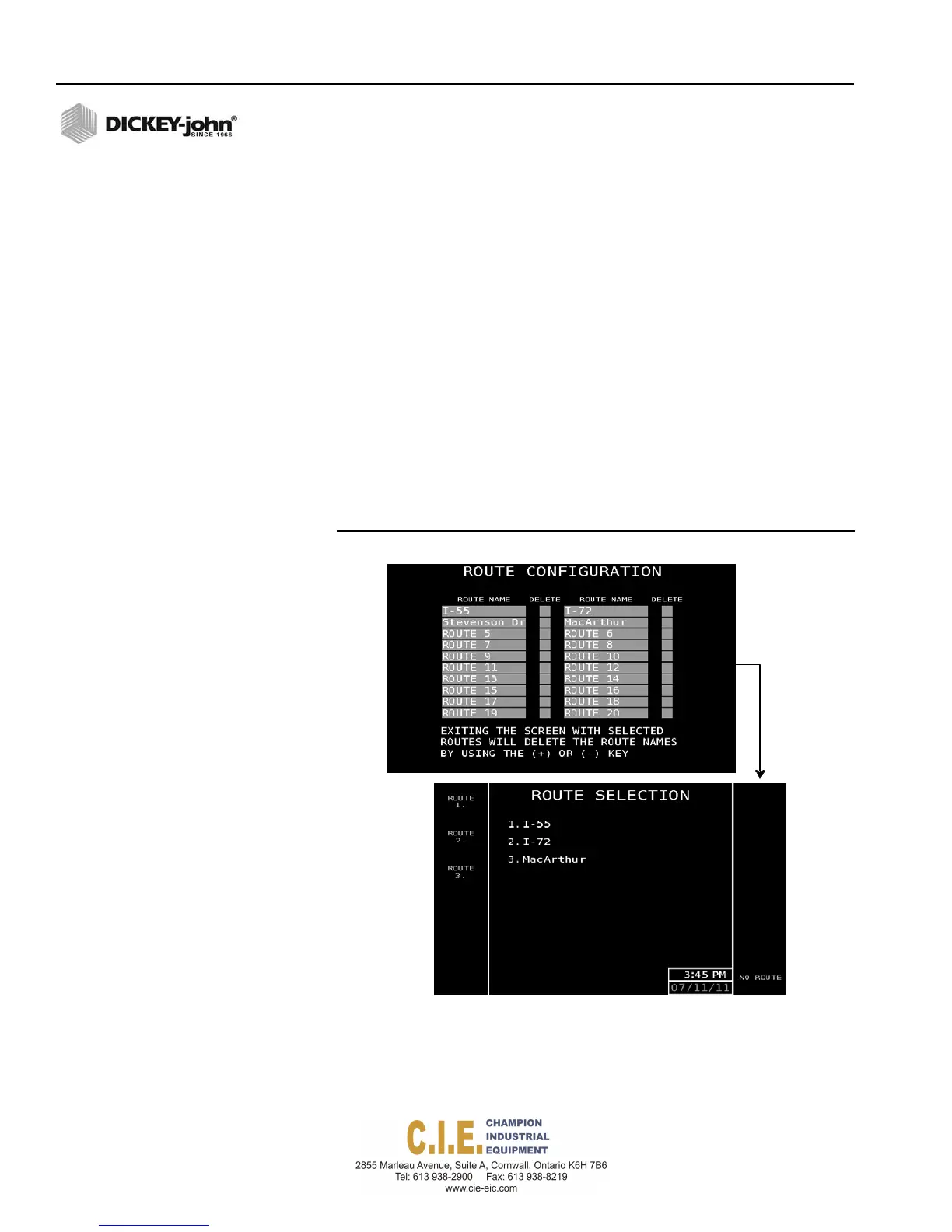
ROUTE CONFIGURATION
Twenty (20) pre-defined route names can be entered for selection on the
Operate screen so that data specific to that route; rates, material, total
quantity, miles driven, etc., is logged and recorded. Route specific data
can also be viewed at the Operational Totals screen.
To enter Route Names:
1.
At the Data Logging screen, press 4 to access the Route Configuration
screen.
2.
Highlight the Route Name input box and type in the desired name. A
maximum of 12 digits is accepted.
– To remove a route name, highlight the corresponding delete input
box located next to the user. Use the + or - key to enter a
checkmark to select. Upon exit of this screen, the selected route
will be removed.
After Routes are setup, a Route button is enabled at the Operate screen to
access the Route Selection screen. Refer to the Operation section for
additional information.
Figure 91
Route Configuration and Selection Screens
98 / SYSTEM PROGRAMMING
Flex4 Pro
TM
Control System
6010541 Rev A



 To Next Page