OPERATOR’S MANUAL
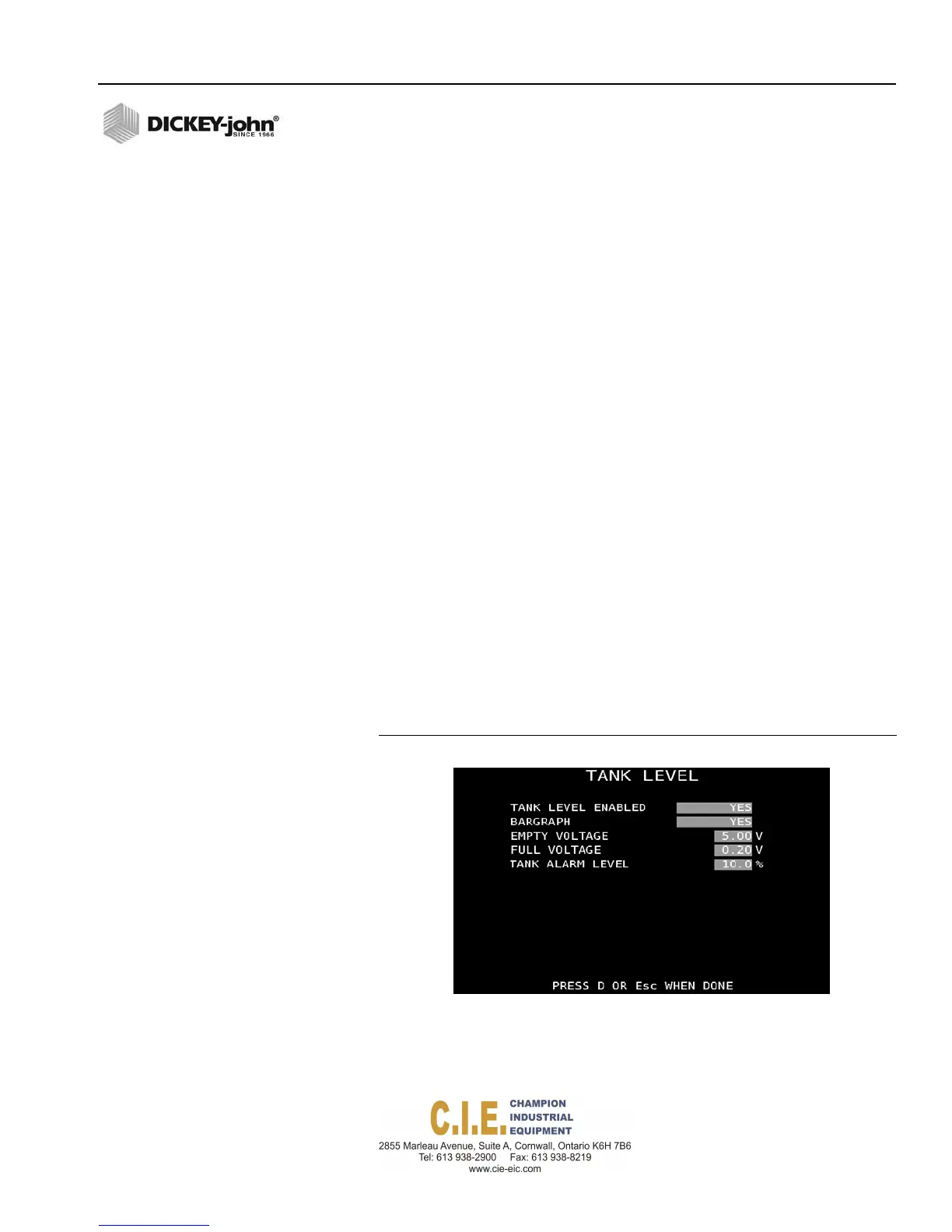
TANK LEVEL SENSOR CONFIGURATION
The tank level sensor monitors the liquid level for pre-wet or anti-ice
systems.
To enable the Tank Level Sensor:
1.
At the Tank Level Menu screen, select Yes at the Tank Level Enabled
input box.
2.
Tank level status can display in a bargraph format (Yes) or percentage
of approximate material remaining (No).
3.
Highlight the Empty Voltage input box. The tank must be empty before
performing the Empty Voltage calibration.
4.
Press “C” to capture the empty voltage reading.
5.
Fill tank to appropriate level. Highlight the Full Voltage input box. The
tank must be full before performing the Full Voltage calibration.
6.
Press “C” to capture the full voltage reading.
IMPORTANT: It is recommended that voltages are automatically
captured but manual entry of voltages can be entered.
7.
Enter a tank level alarm percentage to warn when the tank level has
reached the alarm limit. The value has a 5% hysteresis tolerance to
prevent random alarming due to varying tank levels while driving.
EXAMPLE: If the tank alarm is set for 10%, the alarm activates
when the level drops below 10% but will not clear until the level
reaches 15%. If the tank alarm is set for 100 gallons on a 1000
gallon capacity, the alarm activates when the level drops below 100
gallons but does not clear until the level reaches 150 gallons.
The alarm sounds for the first five seconds and text will flash until
the condition is cleared or another alarm sounds.
Figure 69
Tank Level Sensor
Flex4 Pro
TM
Control System
6010541 Rev A
SYSTEM PROGRAMMING / 77
PRESSCTOCAPTUREVOLTAGE



 To Next Page