OPERATOR’S MANUAL
78 / SYSTEM PROGRAMMING
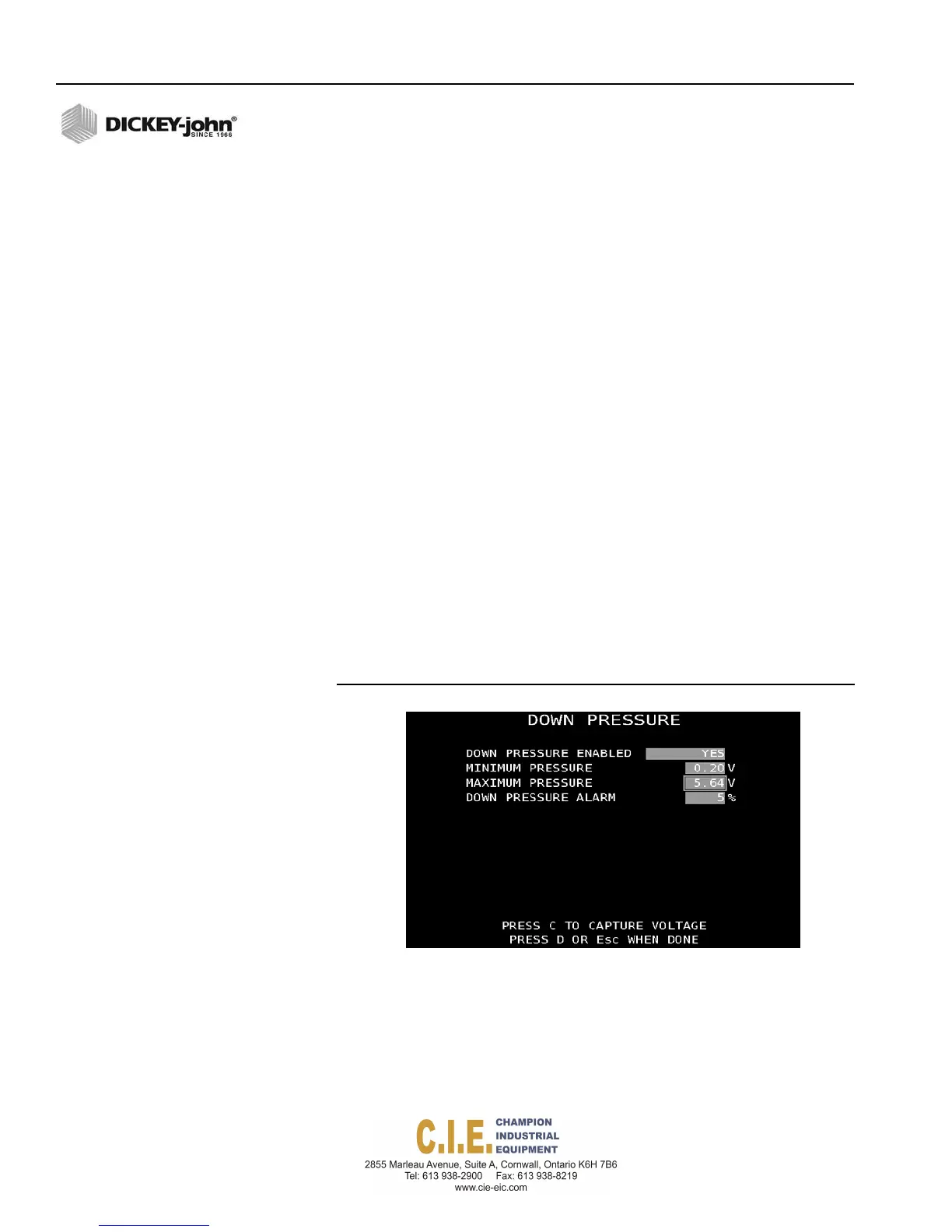
DOWN PRESSURE
A down pressure sensor monitors the relative pressure applied to the under
body belly scraper.
Down Pressure status appears on the Operate screen as:
DWNPRES100%
To enable the Down Pressure Sensor:
1.
At the Down Pressure Menu screen, select Yes at the Down Pressure
Enabled input box.
2.
Highlight the Minimum Pressure input box.
3.
Elevate the scraper before performing the minimum pressure reading
calibration.
4.
Press “C” to capture the minimum pressure reading.
5.
Highlight the maximum pressure input box.
6.
Position the scraper downward until road contact occurs and the
desired normal road contact pressure is reached. This will set the
100% down pressure maximum value (next step).
7.
Press “C” to capture the maximum voltage reading.
IMPORTANT: It is recommended that voltages are automatically
captured through the calibration but manual entry of
voltages can be entered.
8.
Enter a down pressure alarm percentage to warn when the down
pressure is within the specified percentage of reaching the maximum
down pressure limit.
Figure 70
Down Pressure
Flex4 Pro
TM
Control System
6010541 Rev A



 To Next Page