OPERATOR’S MANUAL
BED HEIGHT
A bed height sensor activates when the bed has exceeded the
recommended operating height.
All mechanical linkages should be inspected and maintained on a
regularly scheduled interval to ensure proper operation of the bed
height alarm. Visual inspection of the bed height must be
maintained as the primary indicator of safe bed height operation.
The alarm should only be used as a secondary convenience
indicator. The operator assumes all risk in using this feature.
DICKEY-john assumes no responsibility for alarm failure to
indicate an unsafe operating height.
Bed Height status appears on Operate screen as:
BED 113%
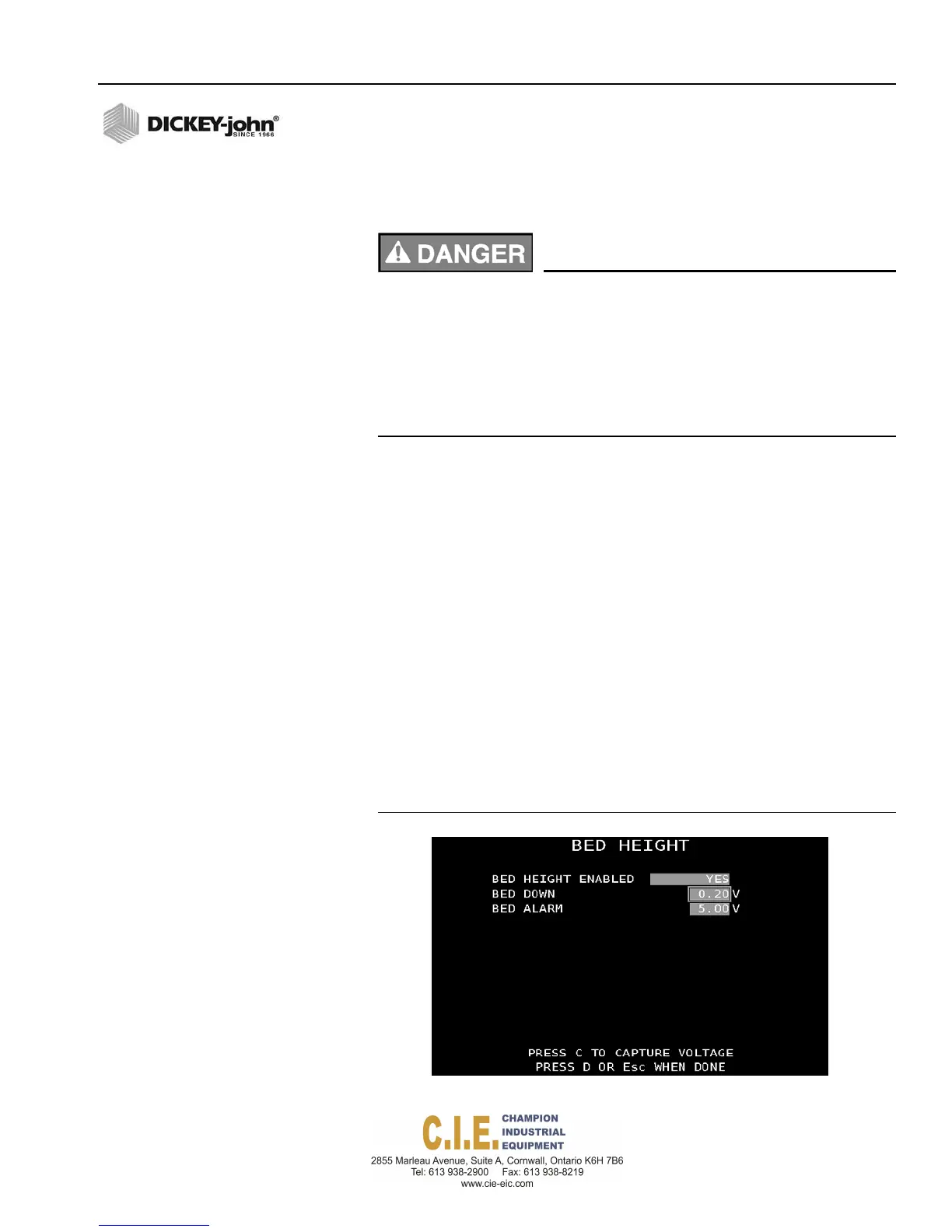
To enable a Bed Height Sensor:
1.
At the Bed Height Menu screen, select Yes at the Bed Height Enabled
input box.
2.
Highlight the Bed Down input box. The dump bed must be completely
down and the sensor installed before performing the calibration.
3.
Press “C” to capture the bed down reading.
4.
Bed Alarm indicates the voltage when the bed has exceeded normal
operating height and can be entered manually or automatically.
5.
Highlight the Bed Alarm input box. The dump bed must must be near
the maximum operating height and the sensor installed before
automatic entry can occur. Press “C” to automatically capture sensor
voltage. For manual entry, select the bed alarm text and enter the
voltage when the bed exceeds the normal operating height.
Figure 71
Bed Height Sensor Screen
Flex4 Pro
TM
Control System
6010541 Rev A
SYSTEM PROGRAMMING / 79



 To Next Page