COMPONENTS DESCRIPTION 7
AXH1157-UK (ENG) L3500 L4700 F7000 [FPT S3A] 79
NOTE
The "1" and "2" gear selection on the movement
selection lever is not active.
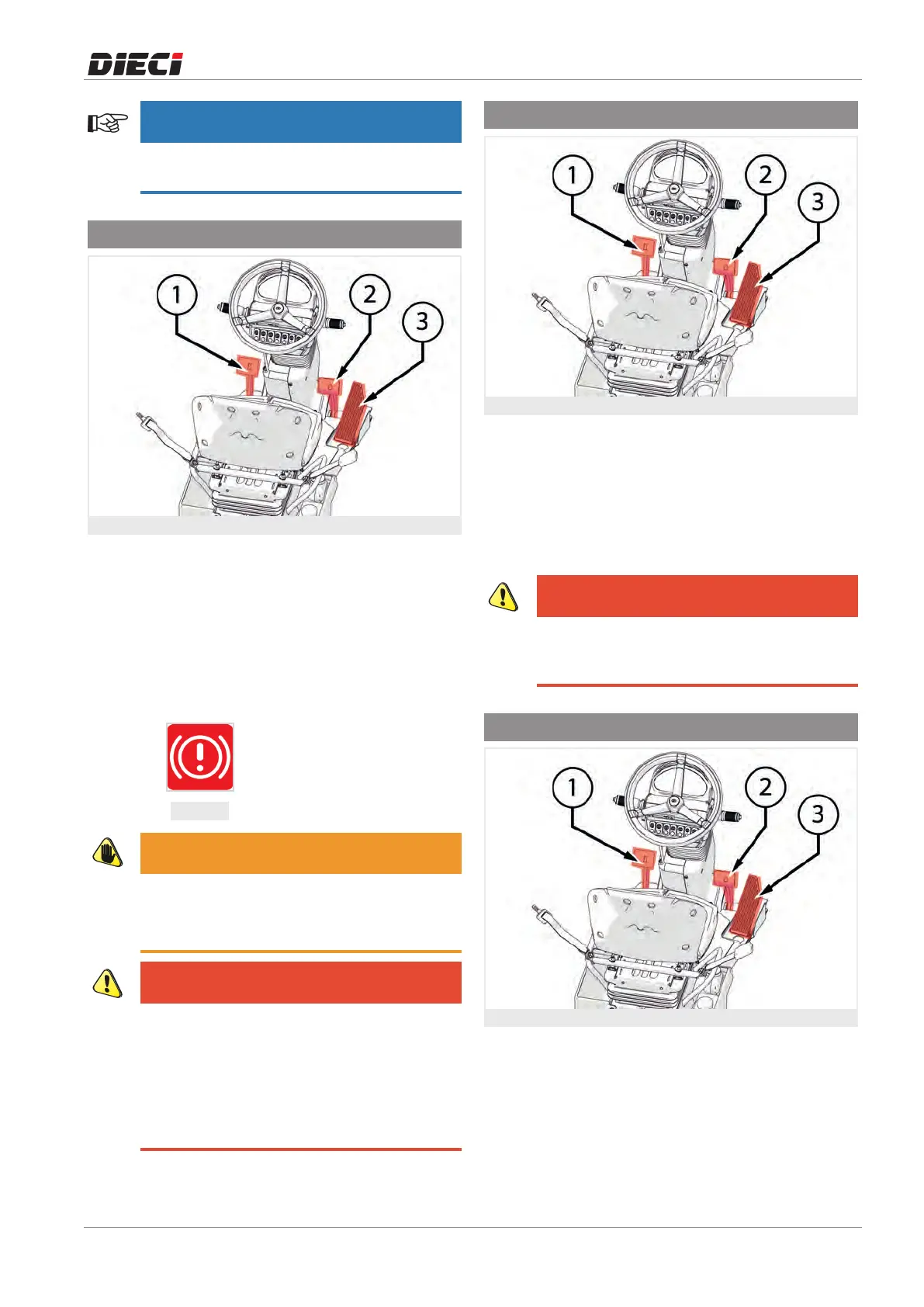
7.4.3 - Service braking pedal
Figure: 150311-1
Press the service brake pedal "2" (fig. 150311-1) to
slow down or stop the vehicle.
The pedal acts directly on the service brakes inside the
differential axles.
When the brake pedal is pressed the stop lights of the
rear lights go on. The lights remain in operation until
the pedal is released.
Periodically check that both lights are working.
150311-2
WARNING
In the case of restricted use of the pedal
periodically check its proper operation. In case of
problems contact the
Dieci
service centre.
DANGER
If the warning light (fig. 150311-2) turns on
intermittently, it indicates a low brake fluid level.
If the warning light (fig. 150311-2) turns on in a
fixed way, the parking brake is stuck or damaged.
Do not use the vehicle until the problem has
been solved. Contact a
Dieci
service centre.
7.4.4 - Inching Pedal
Figure: 150740-1
The inching pedal "1" (fig. 150740-1) acts directly on
the hydrostatic transmission and allows to slow down
the vehicle forward movement.
The pedal allows slow and precise forward
movements with high rpm heat engine.
With pedal fully pressed, the vehicle stops the forward
movement.
DANGER
Do not press the inching pedal at high speeds,
the vehicle brakes suddenly and the diesel
engine risks over-revving.
7.4.5 - Accelerator pedal
Figure: 150741-1
Press the accelerator pedal “3” (fig. 150741-1) to
increase the engine speed, when the pedal is released
the engine rpm will decrease.



 To Next Page