114
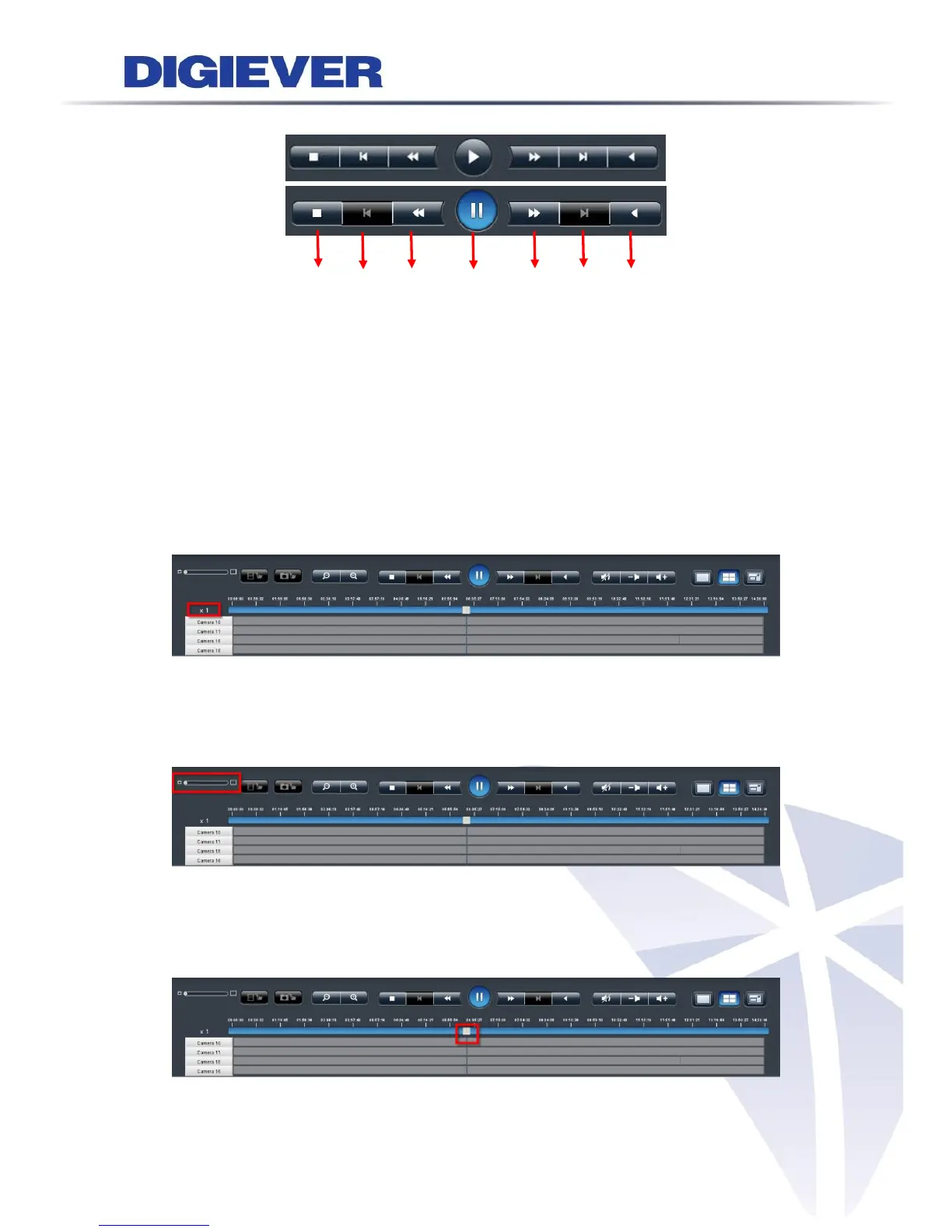
4. Video playback speed control
(1) (2) (3) (4) (5) (6) (7)
(1) Stop: to clear playback videos
(2) Previous frame: to show the earlier frame
(3) Slow motion: to play in slower speed
(4) Play/ Pause: to play video file or to temporarily stop the playback
(5) Fast forward: to play in faster speed
(6) Next frame: to show the next frame
(7) Rewind: to let video automatically wind backward
Playback speed status is beside scroll bar.
5. Scale bar
Users can move the bar to enlarge or narrow down time period to check video
footage in time table.
6. Scroll bar
By moving scroll bar, users can go to the specific recording time directly. Date and
time are shown above scroll bar to provide time reference.



 To Next Page