233
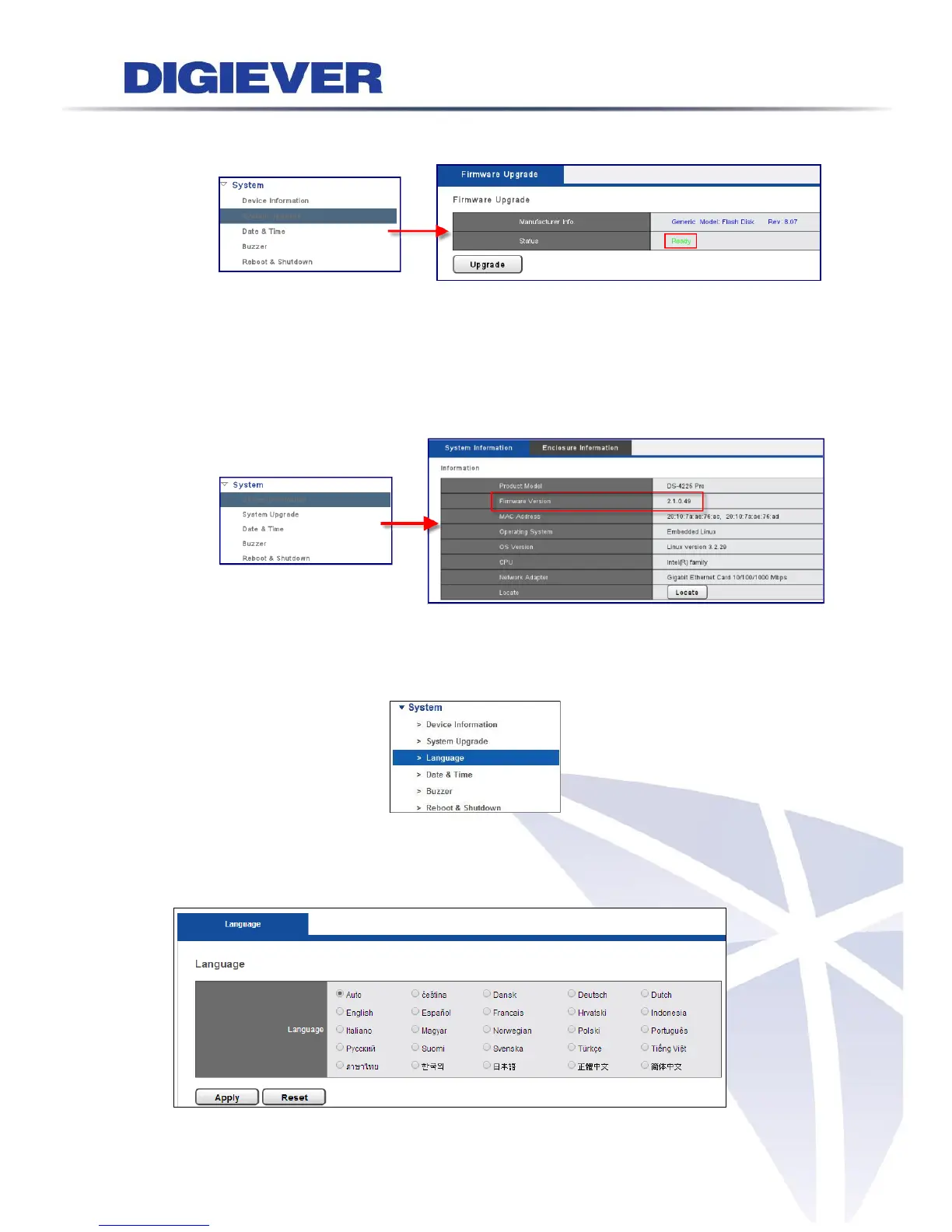
(5) Go to "Configuration" page, and then select "System Upgrade". When the
interface shows device is ‘ready’, you can start upgrading NVR.
(6) Once firmware
(7) upgrade finishes, NVR will reboot itself.
Users could go to “Device Information” from the drop down list of “System” so
as to double check NVR firmware version.
5.7.3 Language
Please select “Language” from the drop-down menu of System to begin.
NVR provides different languages for users. Users can configure the language as
AUTO or other languages.



 To Next Page