74
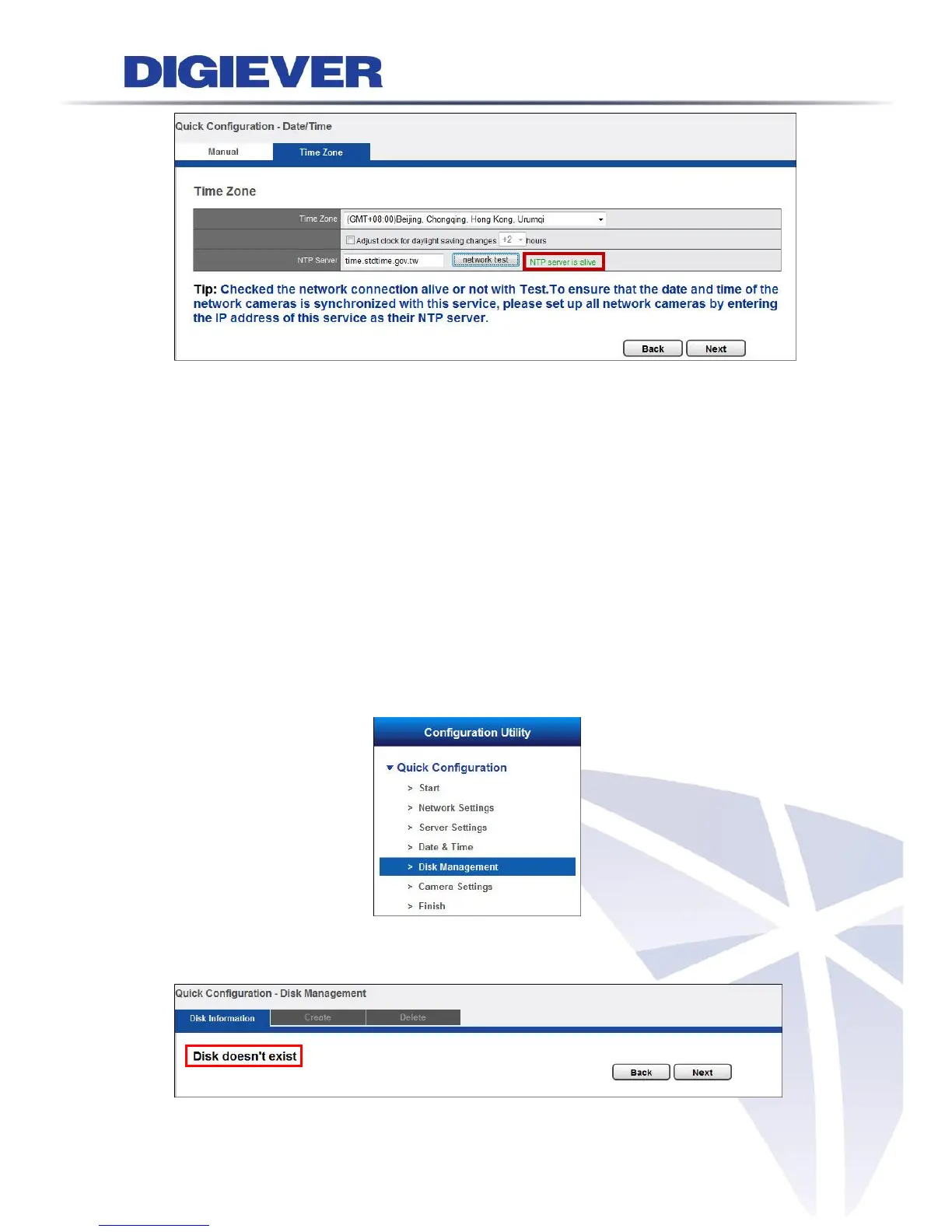
Configure the time and date by verifying and adjusting current local time and
daylight saving to avoid the following errors:
Incorrect display time for playback videos.
Inconsistent display time of event logs and when they actually occur.
Please enter the hostname of a valid NTP server to synchronize the server time with
an Internet time server. NTP (Network Time Protocol) is a protocol to synchronize the
clocks of a computer system.
2.3.5 Disk Management
Please select “Disk Management” from the drop-down menu of Configuration
Utility to begin.
If hard disk is not installed in NVR, the page will show “Disk doesn’t exist.”



 To Next Page