234
Please click “Apply” and the language will be changed.
5.7.4 Date &Time
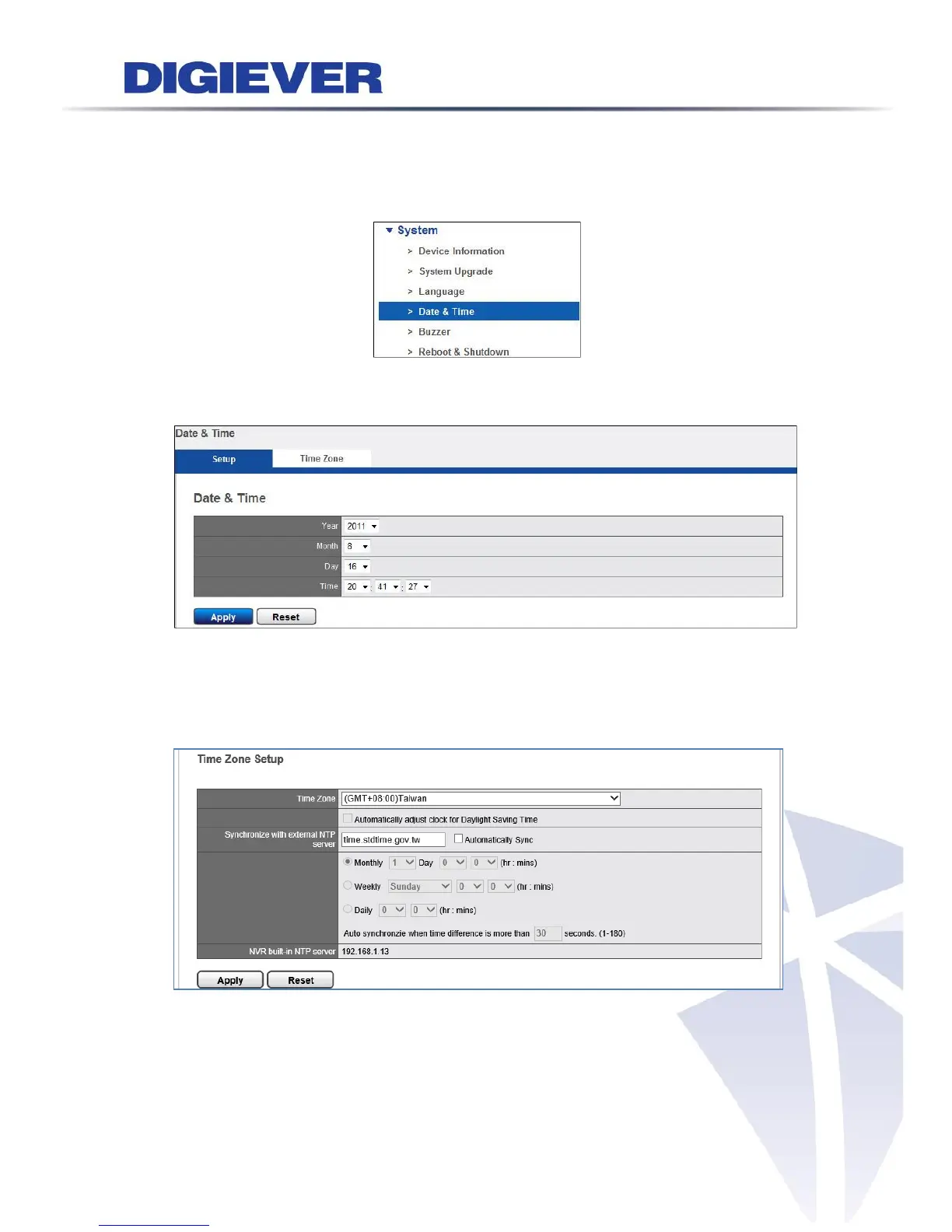
Please select “Date & Time” from the drop-down menu of System to begin.
1. Set up
Select from the drop-down list and configure the time manually and the setting will
be effective when you click “Apply”.
2. Time zone
Users can set the time and date according to the correct time zone and adjust clock
for daylight saving changes for your preference.
Please enter the hostname of a valid NTP server to synchronize with external NTP



 To Next Page