196
5.4.3 Remove Configuration and Online Sync
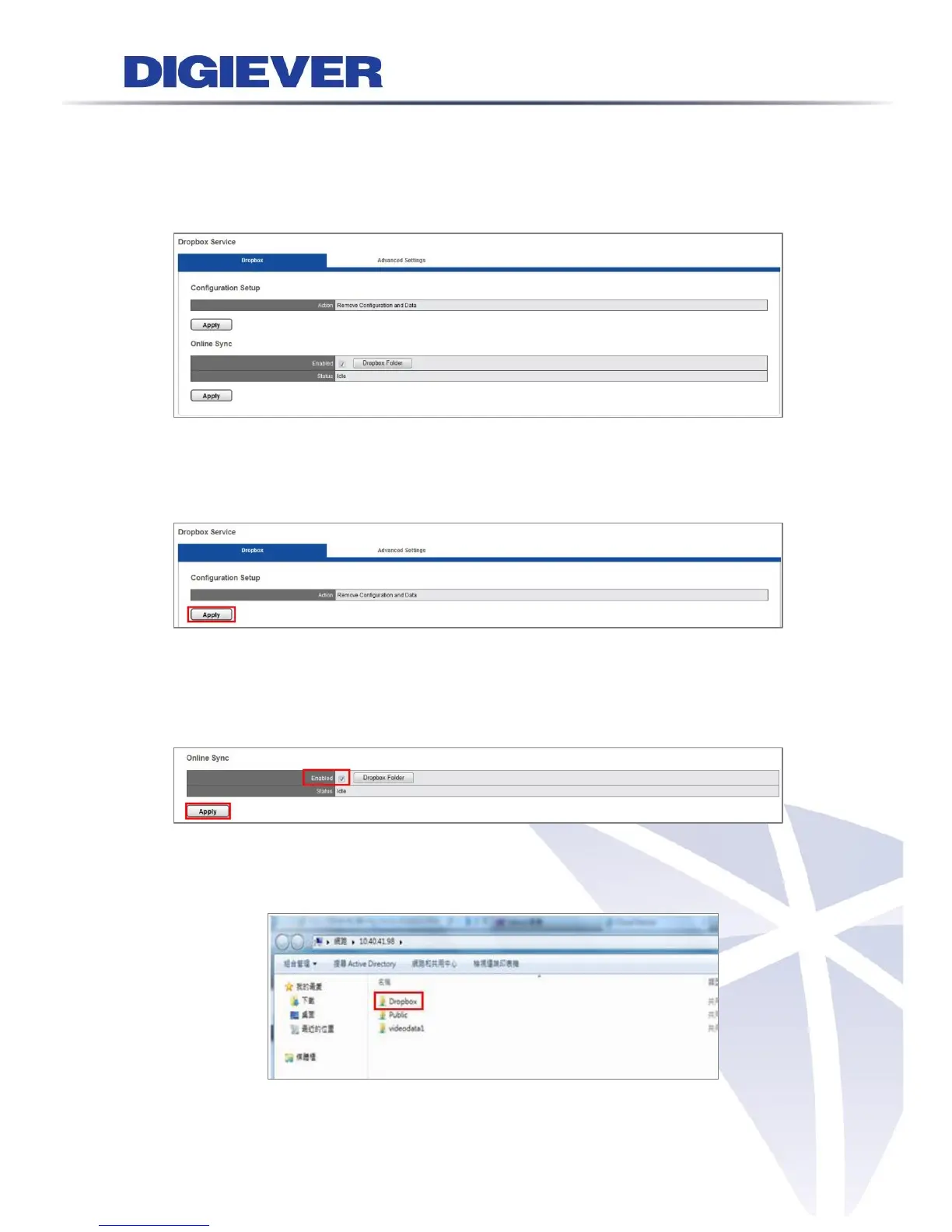
Please press“F5 button” on the keyboard to refresh the webpage. You can see the
webpage as below:
1. Remove Configuration and Data
Please Click “Apply” to remove Dropbox service from NVR. All configuration and data
of Dropbox in NVR will be deleted.
2. Online Sync
Users can choose whether NVR automatically synchronizes with Dropbox Server.
If users want to enable synchronization, please check “Enable” and click “Apply.”
If users want to disable synchronization, please uncheck “Enable” and click “Apply.”
Dropbox Folder
Users can click “Dropbox Folder” to open the folder directly.



 To Next Page