93
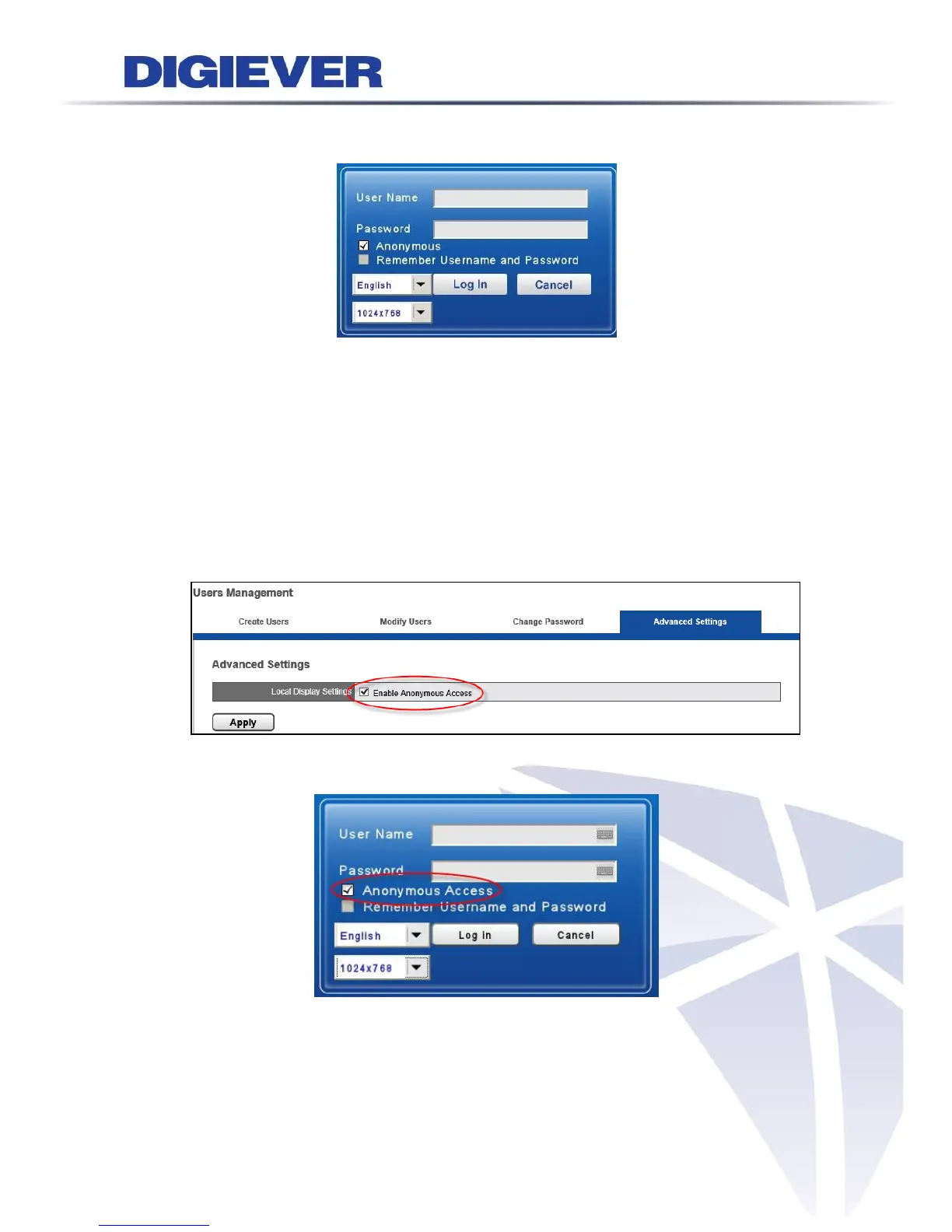
3.1.1 Anonymous login
Anonymous login allows users to login without username and password.
Anonymous user can only view live monitoring and playback page in local monitor,
however, the configuration page will be disable. While anonymous login is applied,
system will automatically log in without authorization process after boot up.
Start to setup the anonymous login
A. Please go to “Configuration->Management->Users Management->Advance
Settings” in remote web browser.
B. Check the “Enable Anonymous Access.”
C. Enable the “Anonymous” at the local display login page, and then log in.



 To Next Page