EasyManua.ls Logo

Digiever DS-2009 - DS-4300-RM Pro+ Series

Digiever DS-2009
243 pages
Print Icon
To Next Page IconTo Next Page
To Previous Page IconTo Previous Page
Loading...
39
1.2.14 DS-4300-RM Pro+ Series
DS-4332-RM Pro+/ DS-4336-RM Pro+/ DS-4342-RM Pro+/ DS-4349-RM Pro+/
DS-4356-RM Pro+/ DS-4364-RM Pro+
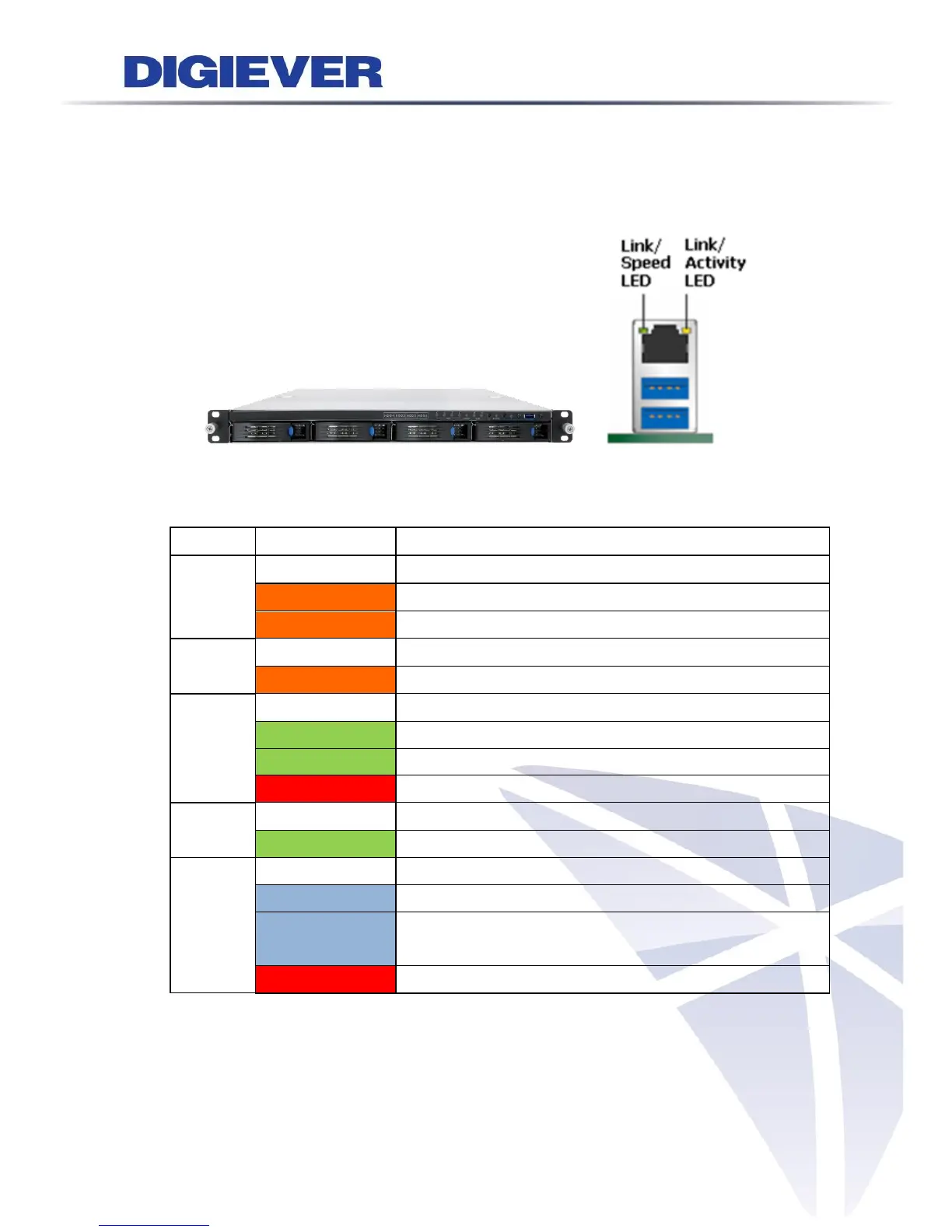
Figure 2-11. Front View of DS-4300-RM Pro+ Series & RJ-45 Port
LED on Front Panel
LED
LED Color & Status
Indicate
LAN
Off
LAN Link is not established
Orange
LAN Link is established
Orange blinking
LAN is being accessed
eSATA
Off
No data transmission
Orange blinking
The eSATA device is being accessed
HDD1
HDD2
HDD3
HDD4
Off
Hard disk drive device is not established
Green
Hard disk drive is ready to be accessed
Green blinking
Hard disk drive data is being accessed
Red
Hard disk drive failure and need to be removed
Power
Off
Power Off
Green
Power On
BACKUP
Off
USB device is not detected
Blue
USB device is ready
Blue blinking
NVR data is being copied to the USB device
(Blinking with 1Hz)

Red
Backup error occurs

Table of Contents

Related product manuals