97
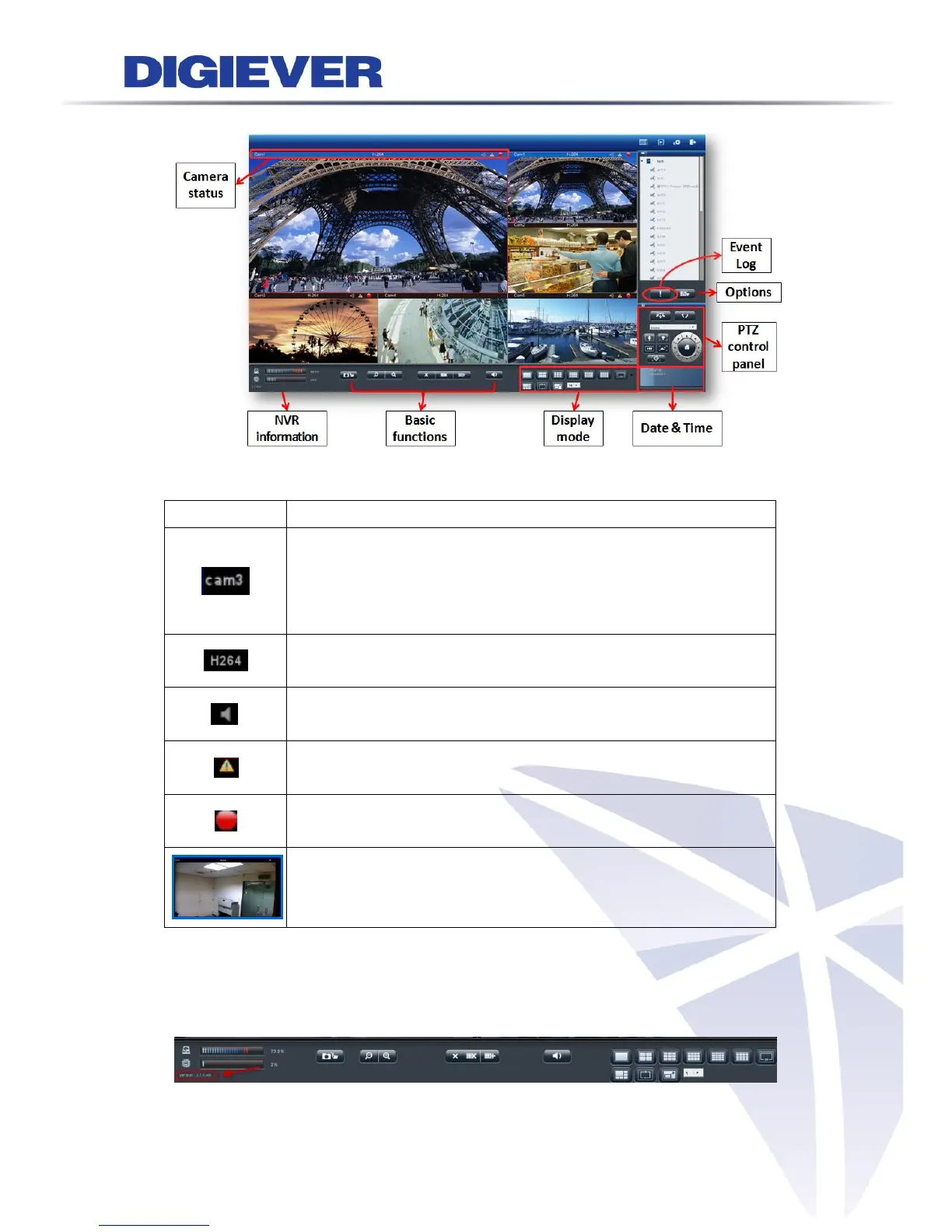
3.3.2 Main Functions of Liveview
1. Camera status
Camera name:
The name of the camera is located in the top left corner in each
video window. Users can rename the camera via the path
“Configuration->IP Camera->Camera Settings.”
Video compression format:
M-JPEG/MPEG-4/H.264
Audio: Once camera supports audio, NVR shows audio in blue.
Vice versa, NVR shows audio in grey.
Event: When event happens, NVR shows warning to user for
instant alert.
Recording status:
The window shows whether camera is recording or not.
Blue border:
The outline border surrounds the selected window to highlight
the focus image.
2. NVR information
(1) Firmware version
User can easily find out the firmware version in the live view page.



 To Next Page