140
Zoom in / out the E-Map
To zoom in or zoom out the E-Map, users can use the mouse scroll to enlarge or
reduce the view of E-Map.
2. Delete a Map
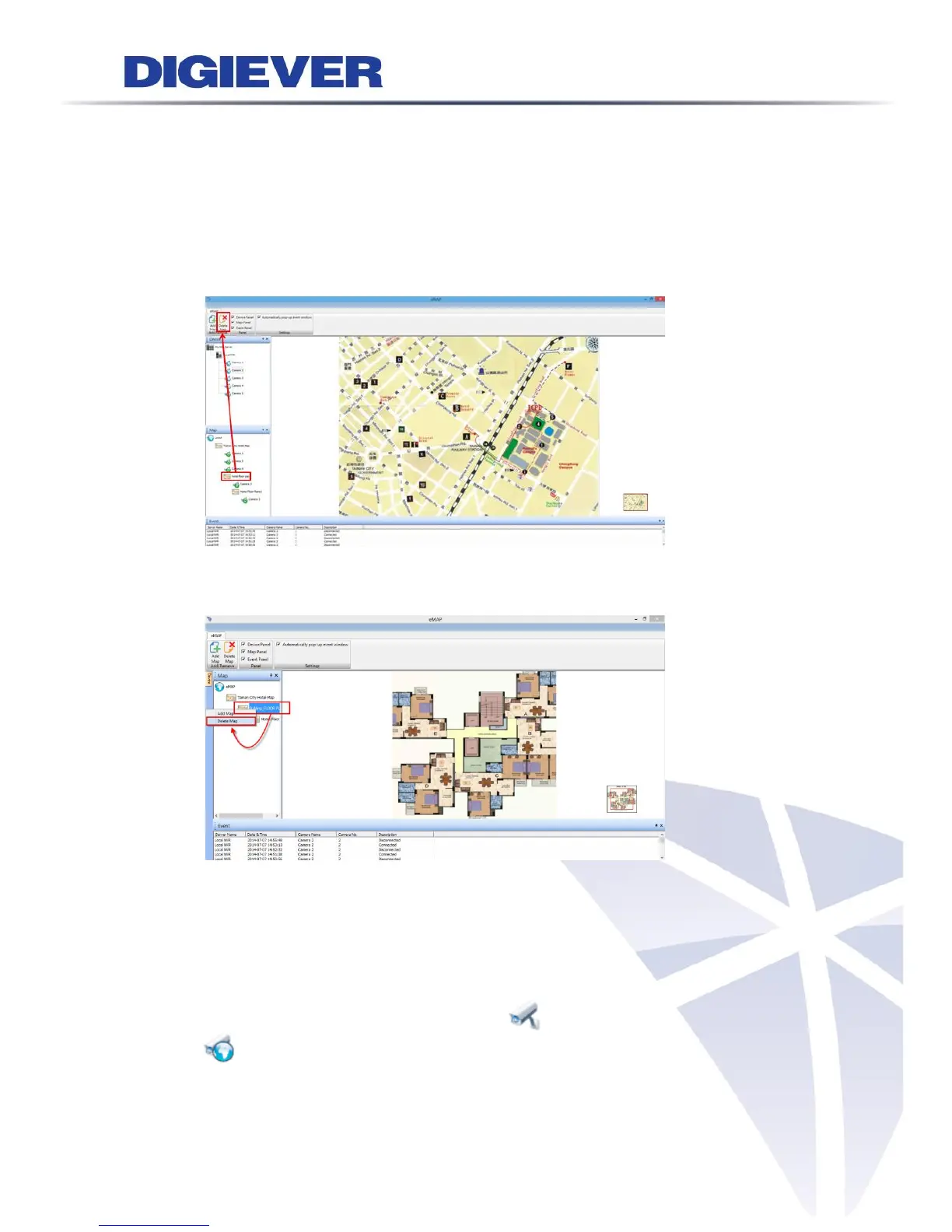
NVR provides two methods to quickly delete map and its camera.
(1) Delete Map Button: Select a map and click “Delete Map” button.
(2) Right-click on Map Panel: Right-click on one of the map to delete the map.
4.2.3 Deploy Cameras
1. Add and delete camera on the map
(1) Add a camera: Please drag and drop the camera icons in device list to the map
to indicate camera location. After successfully adding camera on the map,
camera icon in device pane will turn from (available camera) into
(camera on map). A camera icon will be displayed on the map.



 To Next Page