143
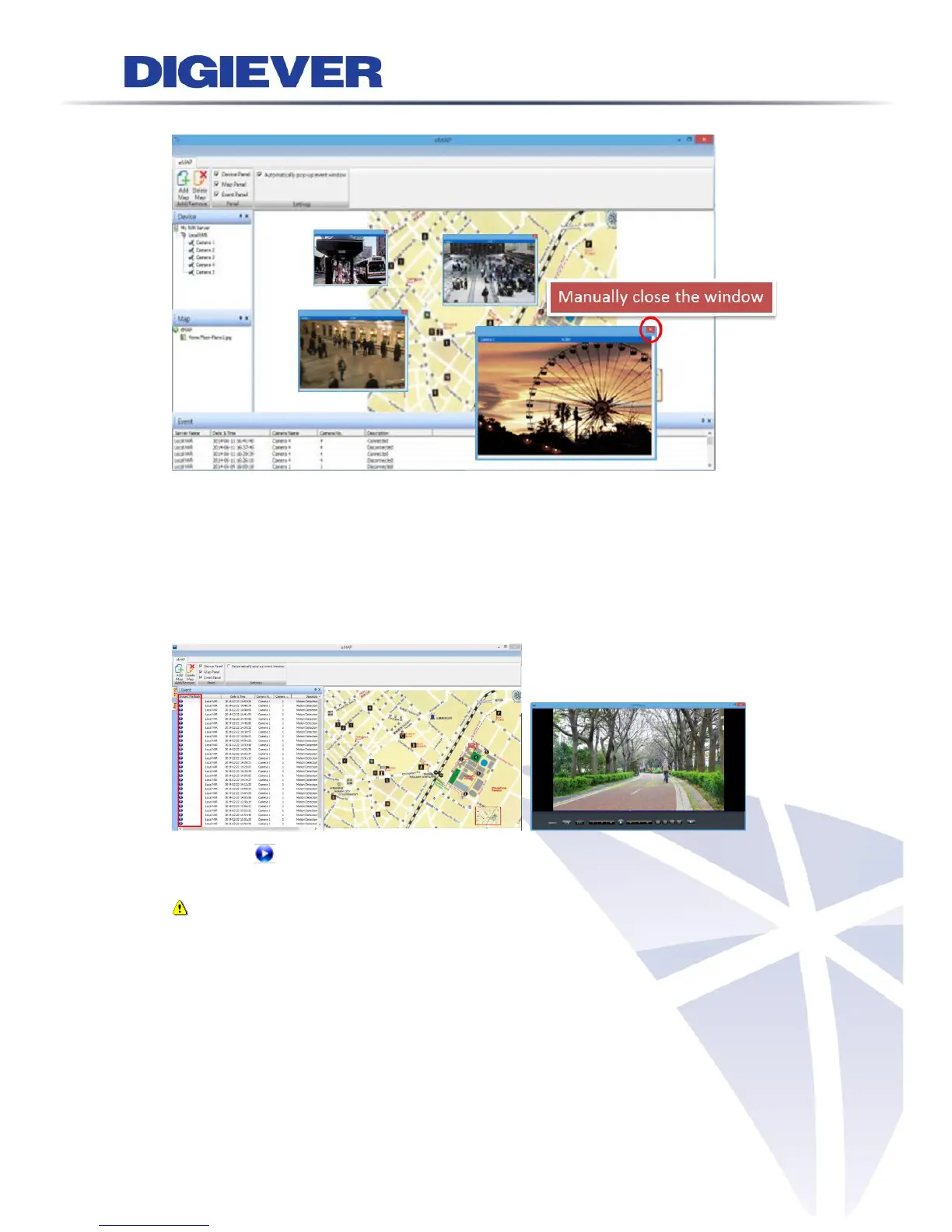
To close the window, users can manually close the pop-out event window.
4.2.5 Event Log History
Event log history offers a detailed and latest list of event history in event panel to
make users easily control event situation. The event panel includes Instant Playback,
Server Name, Date & Time, Camera Name, Camera No. and Description (Camera
Connected, Camera Disconnected or Motion Detection.)
By clicking in Instant Playback column, NVRPlayer will pop out to let users view
event situation.
Note: The default length of video clip for instant playback is 6 seconds. Users
can edit the length of video clip by visiting configuration page: Recording &
Event > Event & Action Management > Advanced Settings



 To Next Page