221
5.6.5 Remote Backup
To ensure the security of confidential videos, NVR provides remote backup to back
up important recorded videos to NAS so as to storage confidential videos for a longer
time.
Note: ASUSTOR NAS is supported for now in LAN.
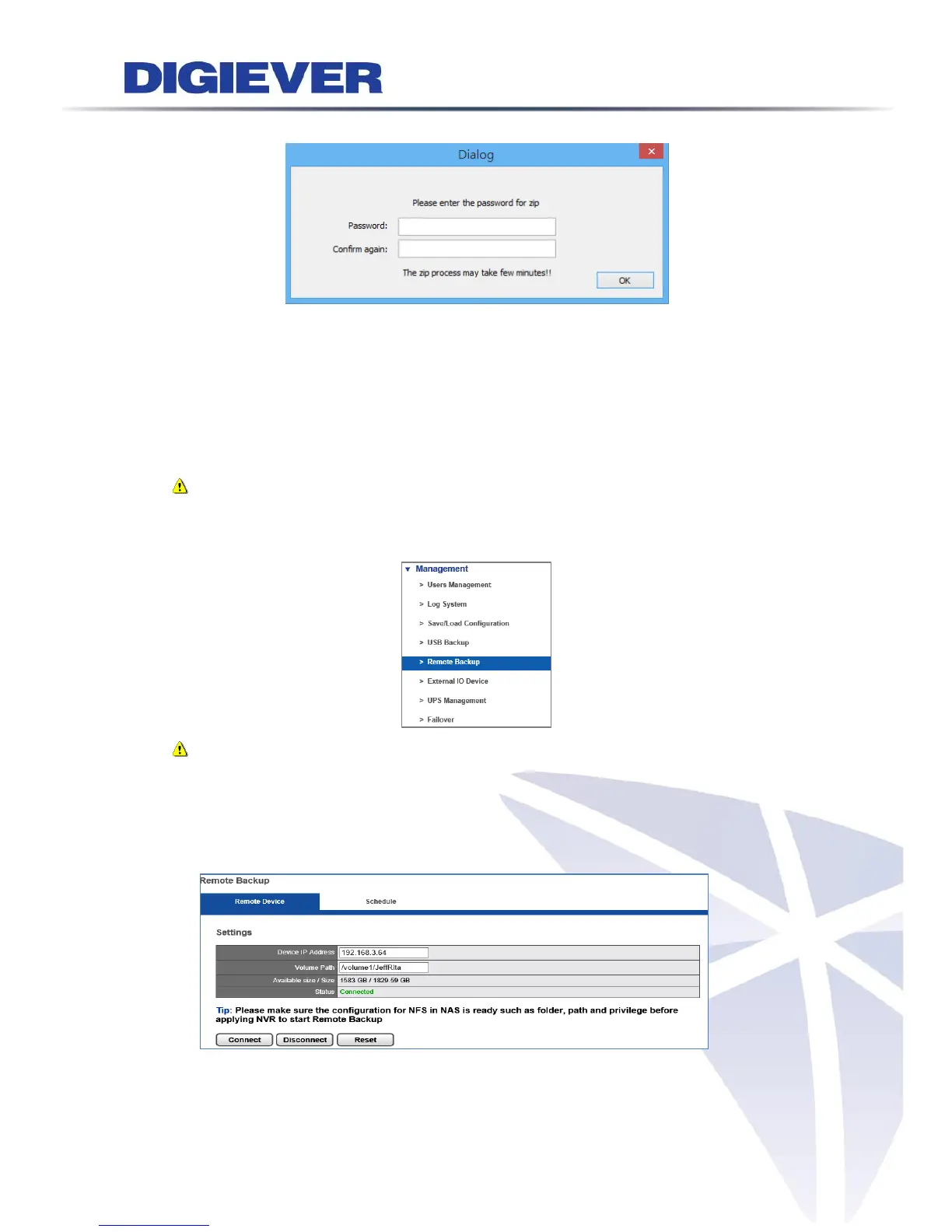
Please select “Remote Backup” from the drop-down menu of Management to begin.
Note: Please make sure the external NAS’s Network File System configuration is
ready including folder, path and privilege, before connecting the NVR server to
the external NAS for remote backup.
1. Connect to Device
Enter IP Address and Volume Path of the device that you set up in advance to
execute remote backup, then click “Connect” button.



 To Next Page