71
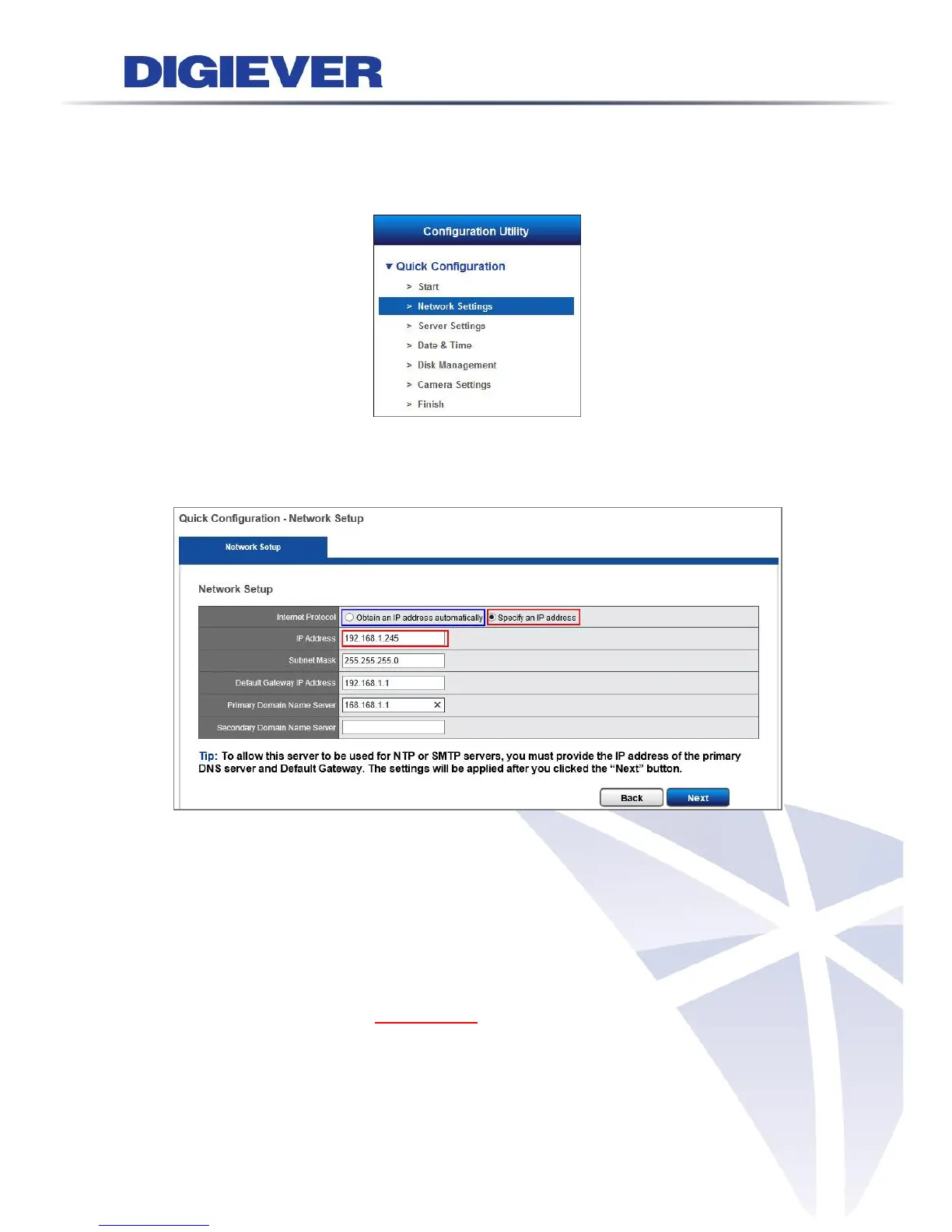
2.3.2 Network Settings
Please select “Network Settings” from the drop-down menu of Configuration Utility
to begin.
Users need to adjust the settings in the Network Setup page in order to let NVR work
properly within network.
There are 2 methods to configure IP address
1. Obtain an IP address automatically (NVR Default)
Obtain an available dynamic IP address assigned by a DHCP server. If this option
is selected, NVR will automatically obtain an available dynamic IP address from
the DHCP server once it connects to the network.
2. Specify an IP address.
If there is no DHCP server existing in network environments, the static IP
address will be given as192.168.1.245. It should be adaptable in most
networking environment, and user can choose to maintain the default IP
address or change it in this page. However, it’s recommended setting different
IP address of NVR if there is more than one NVR in the same LAN.



 To Next Page