236
5.7.5 Buzzer
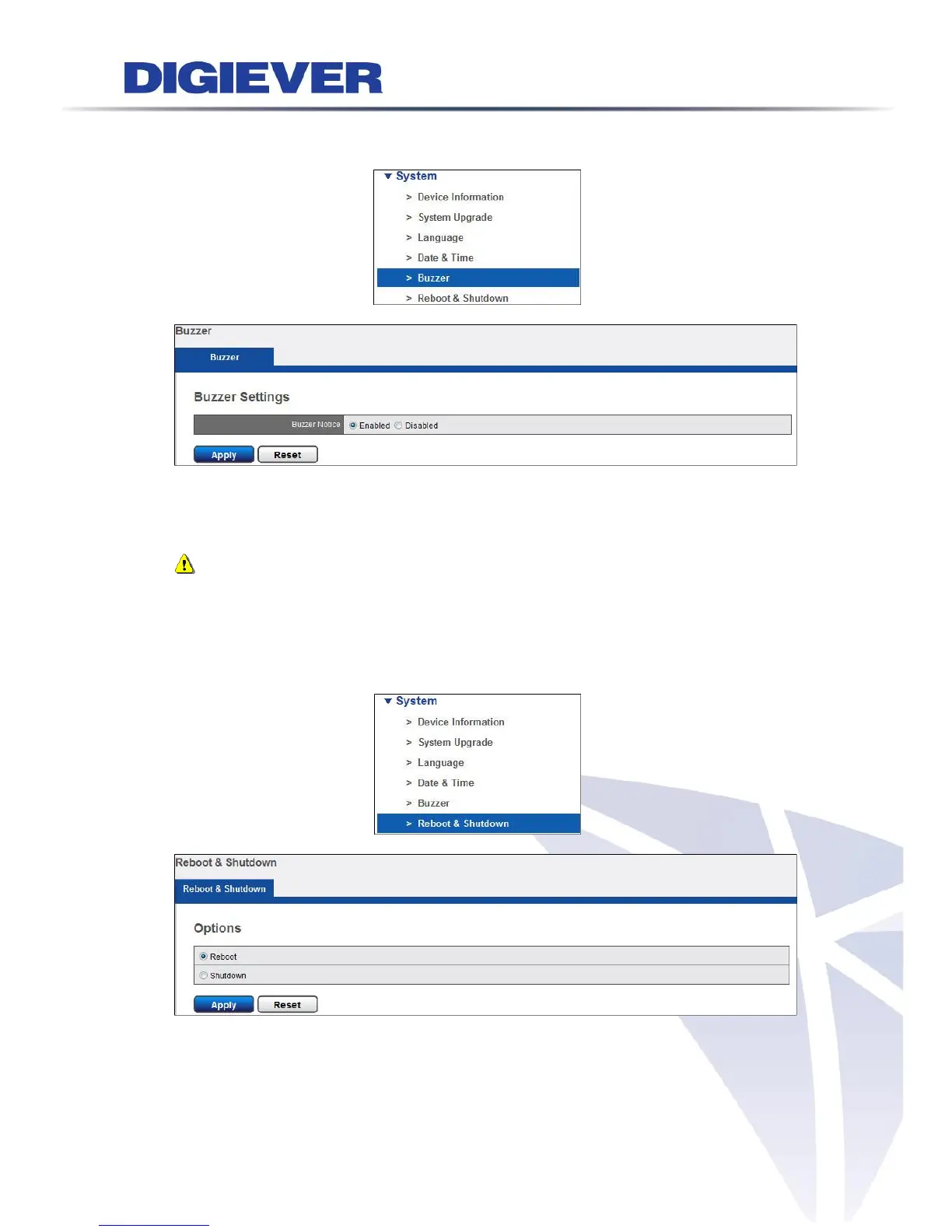
Please select “Buzzer” from the drop-down menu of System to begin.
Select “Enable” or “Disable” to set Buzzer Notice.
Once the buzzer notice is enabled, the buzzer will have beep sound in HDD or NVR
hardware failure situation.
Note: To stop the buzzer sound, user can press “USB BACKUP” button on the
front panel of NVR for one second.
5.7.6 Reboot &Shutdown
Please select “Reboot & Shutdown” from the drop-down menu of System to begin.
Click “Reboot” to restart the NVR.
Click “Shutdown” to turn off the NVR.



 To Next Page