137
4.2 Multi-layer Dynamic E-Map
NVR provides multi-layer E-Map feature on liveview monitoring as a quick navigation
to indicate the physical location of cameras. Users can drag and drop camera icons to
multi-layer E-Maps and enable pop-out event window to receive the latest event
situation once event occurs.
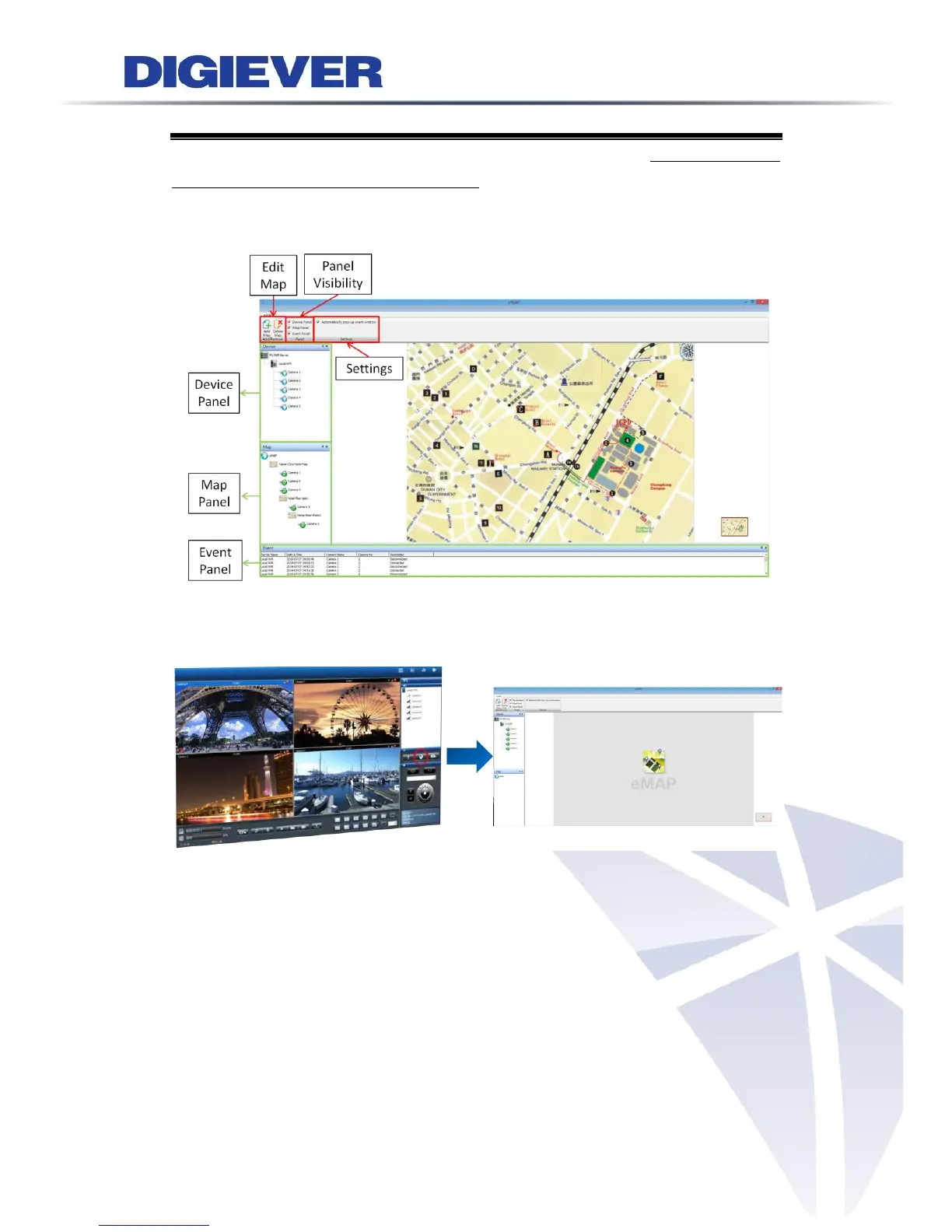
Please click “E-Map” button to start monitoring via dynamic E-Map. An E-Map
window will pop-out as below picture.
4.2.1 Feature Introduction
1. Introduction of each column
E-Map offers three columns for general setting: Edit map, Panel visibility and
Settings.
Edit map: please refer to 4.2.2 Add or Delete Multi-layer E-Maps for more
information.
Panel visibility: to decide whether to show or to hide panels, including device panel,
map panel and event panel.



 To Next Page