177
5.2.1 Recording Settings
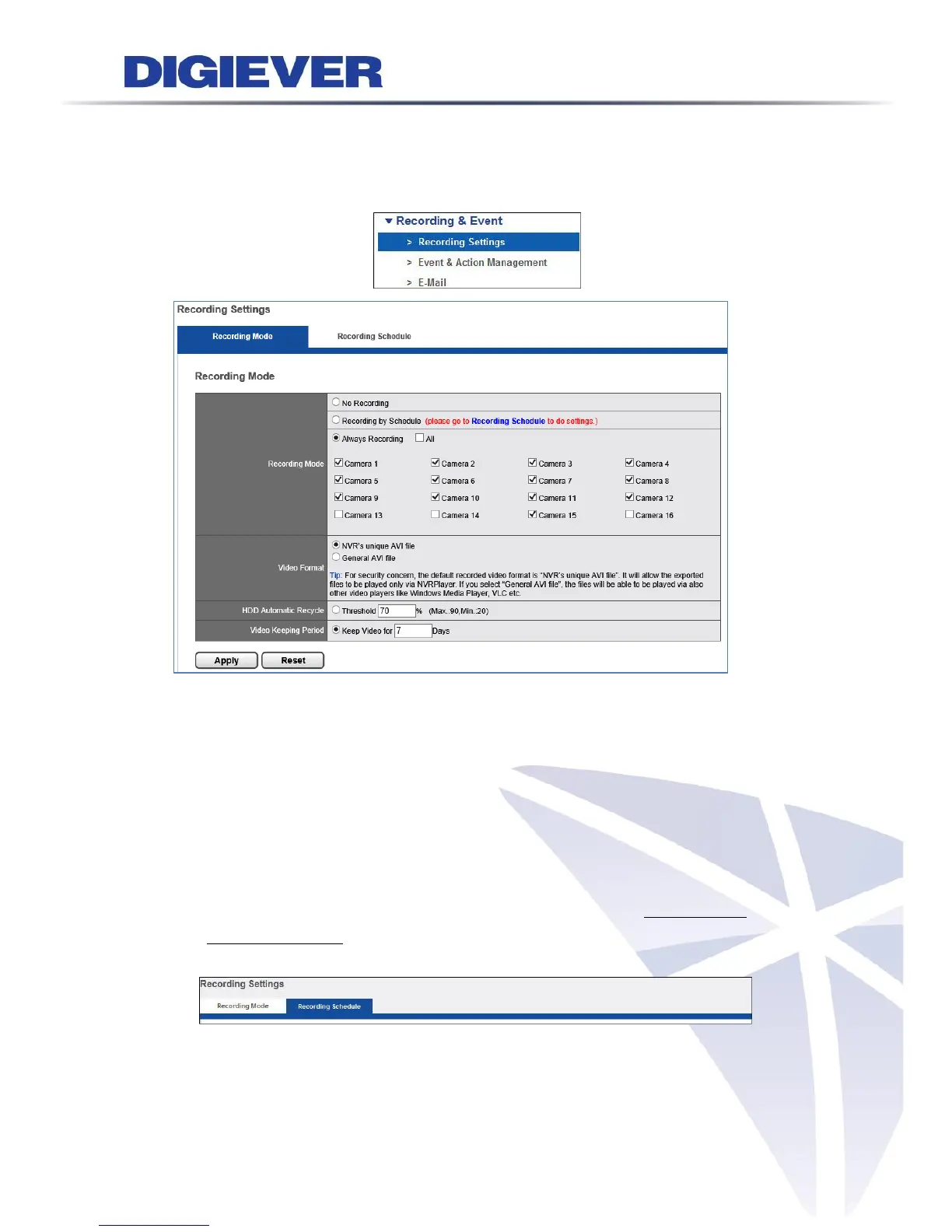
Please select “Recording Settings” from the drop-down menu of Recording & Event
to begin.
1. Recording Mode
Users can set the mode of “No Recording,” “Recording by Schedule” and “Always
Recording” for each connected cameras.
(1) No Recording: Once “No Recording” is selected, all cameras will be disabled to
record the video.
(2) Recording by Schedule: Once “Schedule Recording” is selected, users can set
the scheduled time to record the video in two record modes, Always Record and
Recording by Event. Please configure the schedule in “Recording Schedule”
section.
(3) Always Recording: Users can select the camera or click “All” camera to apply
“Always Recording” function. The video will be recorded continuously.



 To Next Page