187
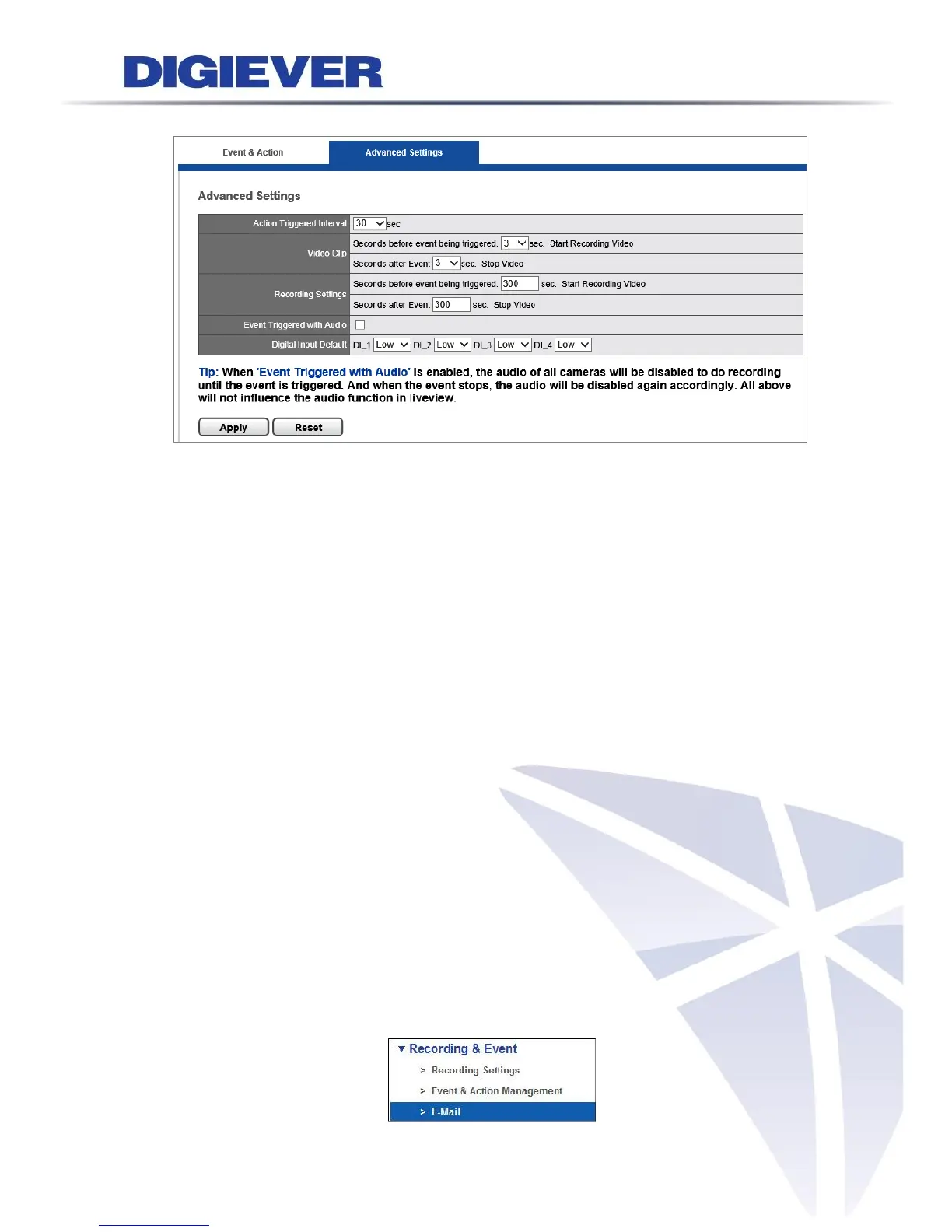
5.2.4 Advanced Setting
1. Action Triggered Interval
Users can set proper time interval when events are triggered in sequence.
2. Video Clip and Recording Settings
Users can set Pre-time of record and Post-time of record for video clip and event
recording.
Pre-time of record can up to 300 seconds before the event is triggered and
Post-time of record can up to 300 seconds after the event ends.
3. Event Triggered with Audio
Users can set up whether Audio is recorded only when an event is triggered.
When “Event Triggered with Audio” is enabled, camera audio will be recorded when
an event is triggered. When the event stops, the audio will be disabled again
automatically.
4. Digital Input Default
Users can set up default High/Low setting of digital inputs for different digital input
device. (Default is Low) Once one of digital inputs becomes High, NVR will treat it as
an event.
5.2.5 E-Mail
Please select “E-Mail” from the drop-down menu of Recording & Event to begin.



 To Next Page