188
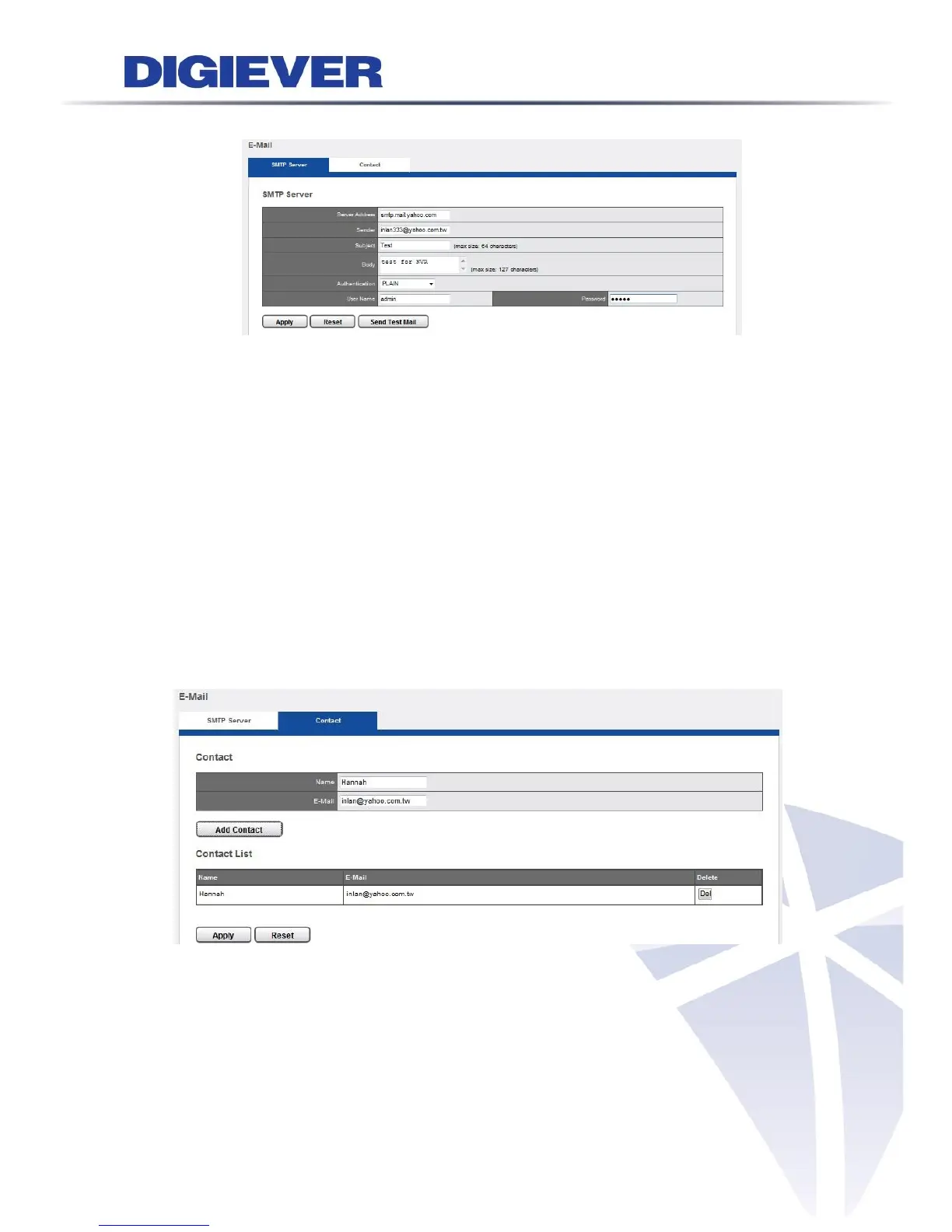
1. SMTP Server
Server Address: Enter the Server Address of the SMTP server.
Sender: Specify sender’s E-Mail in the “Sender” field.
Subject: Enter the Subject.
Body: Enter the content.
Authentication: Depending on the mail sensor, SMTP Server provides three
types of authentication. Select “Authentication” as “PLAIN”, “LOGIN”, or
“LOGIN with TLS” according to the regulation of different SMTP servers.
User name: Specify username.
Password: Specify user password.
Click “Apply” to finish or “Send Test Mail” to check the availability.
2. Contact
Add contactor by entering name and E-Mail and click “Add Contact.”
Contact List will show the information you entered. Please click “Apply” to finish settings.
Users can delete the contactor by clicking “Delete” button.



 To Next Page