113
3.4.2 Main Functions of Playback
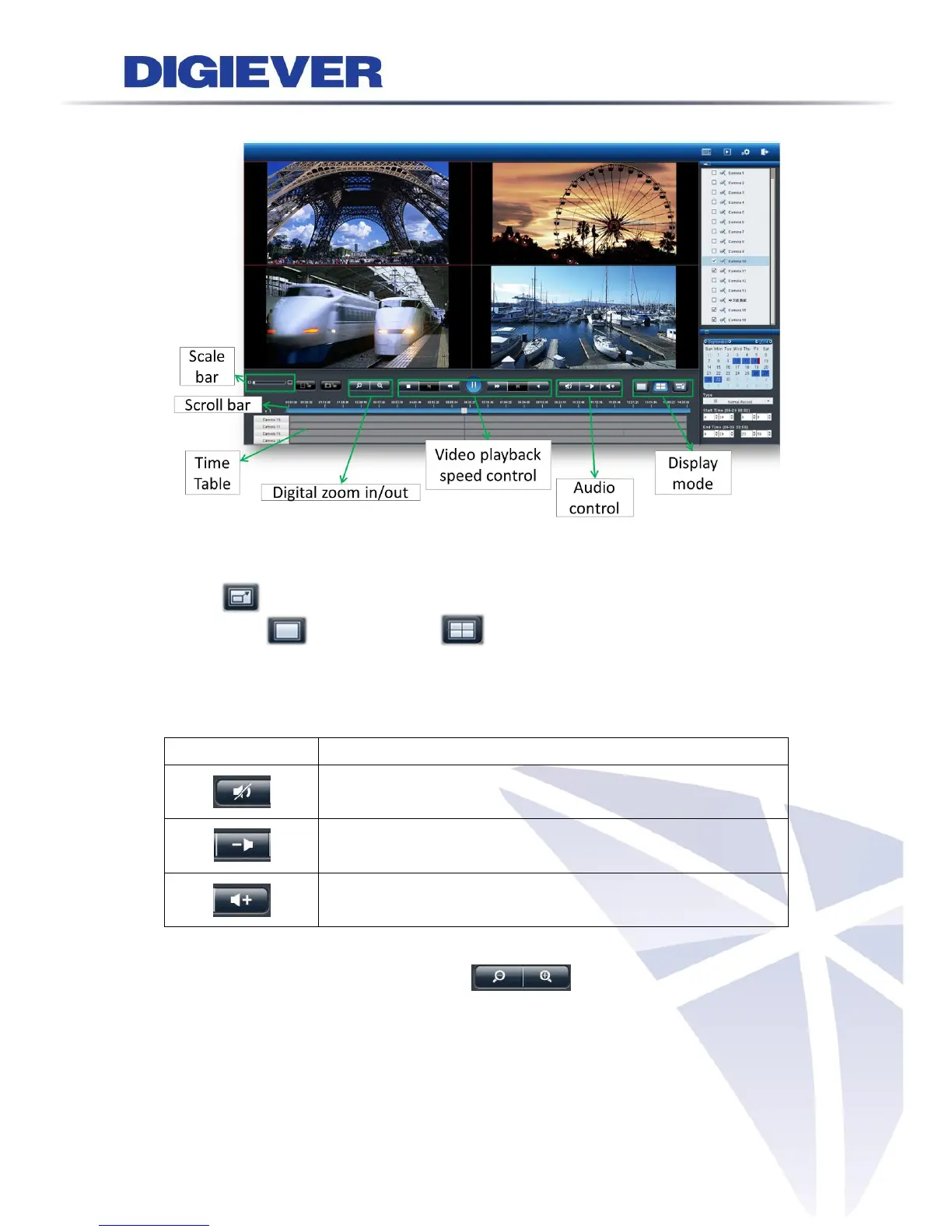
1. Display mode
The screen shows the recording time of each channel in the top of each grid.
Click to view the video in full screen.
One-screen and four-screens are also provided to display playback.
2. Audio control
The audio will be played according to the channel selected on the screen.
Mute:
Disable audio for all playback channels.
Volume down:
volume less than the normal volume setting
Volume up:
volume more than the normal volume setting
3. Digital zoom in and digital zoom out
The image can be enlarged by clicking digital zoom-in button.
The image can also return to previous sizes by clicking the digital zoom out button.



 To Next Page