181
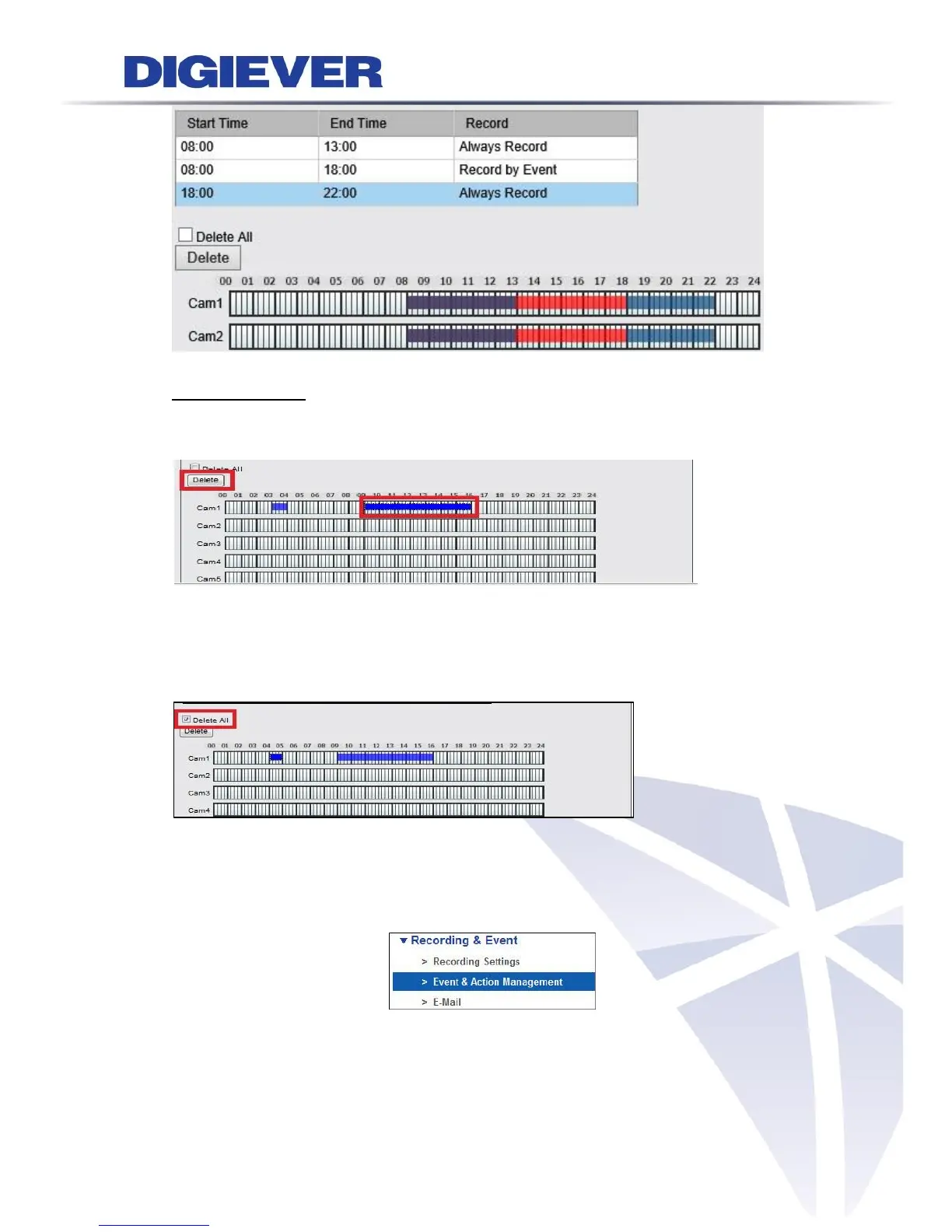
3. Delete schedule
Users can erase the specific time in recording schedule by selecting the time then click
"Delete".
Delete All
With checking the Delete All and then select the camera, users can remove the whole
recording schedule for the certain camera after click "Delete".
5.2.3 Event & Action Management
Please select “Event & Action Management” from the drop-down menu of Recording &
Event to begin.
“Event & Action Management” allows users to define event setting that manage events
and its corresponding action. Users can configure multiple types of event for camera, and
NVR also provide various types of event for NVR system. It can strengthen security level



 To Next Page