180
Recording type
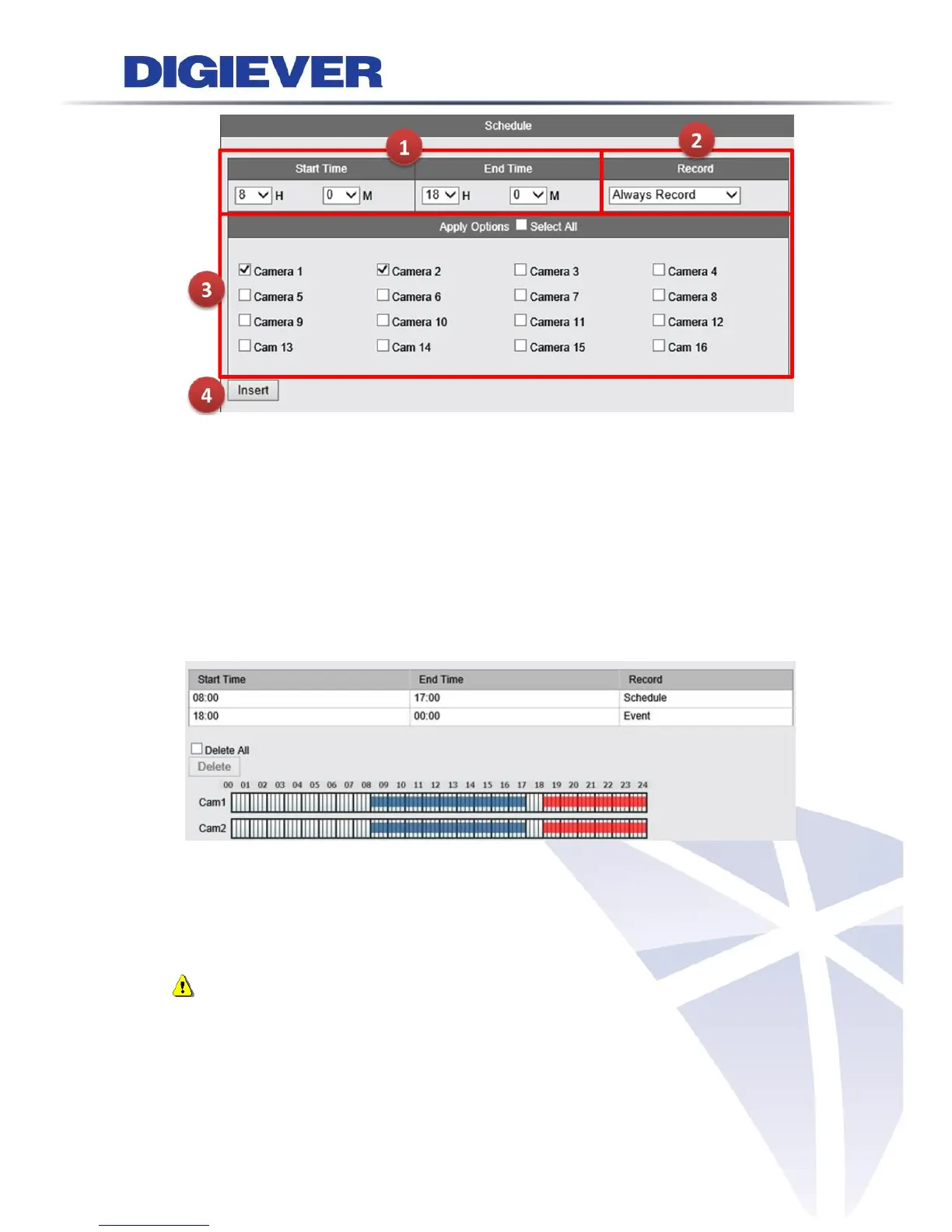
Depending on recording requirements, users can two recording types:
(1) Always Record: If “Always Record” is selected, the video will be recorded
continuously.
(2) Record by Event: Once “Recording by Event” is selected, all cameras will record the
video when an event is triggered.
After inserting time range and channel, the time/camera bar displays the selected time.
Camera bar will display record schedule in each camera bar. Always Record is in blue,
Record by Event is in red.
Click “Apply” to finish setting or “Reset” to rearrange time and camera channel.
Note: A camera can set multi-recording schedule and two recording types at same
time. The camera bar will display in purple when users set up both Always Record and
Record by Event at the same time.



 To Next Page