4.2.2 Add or Delete Multi-layer E-Maps
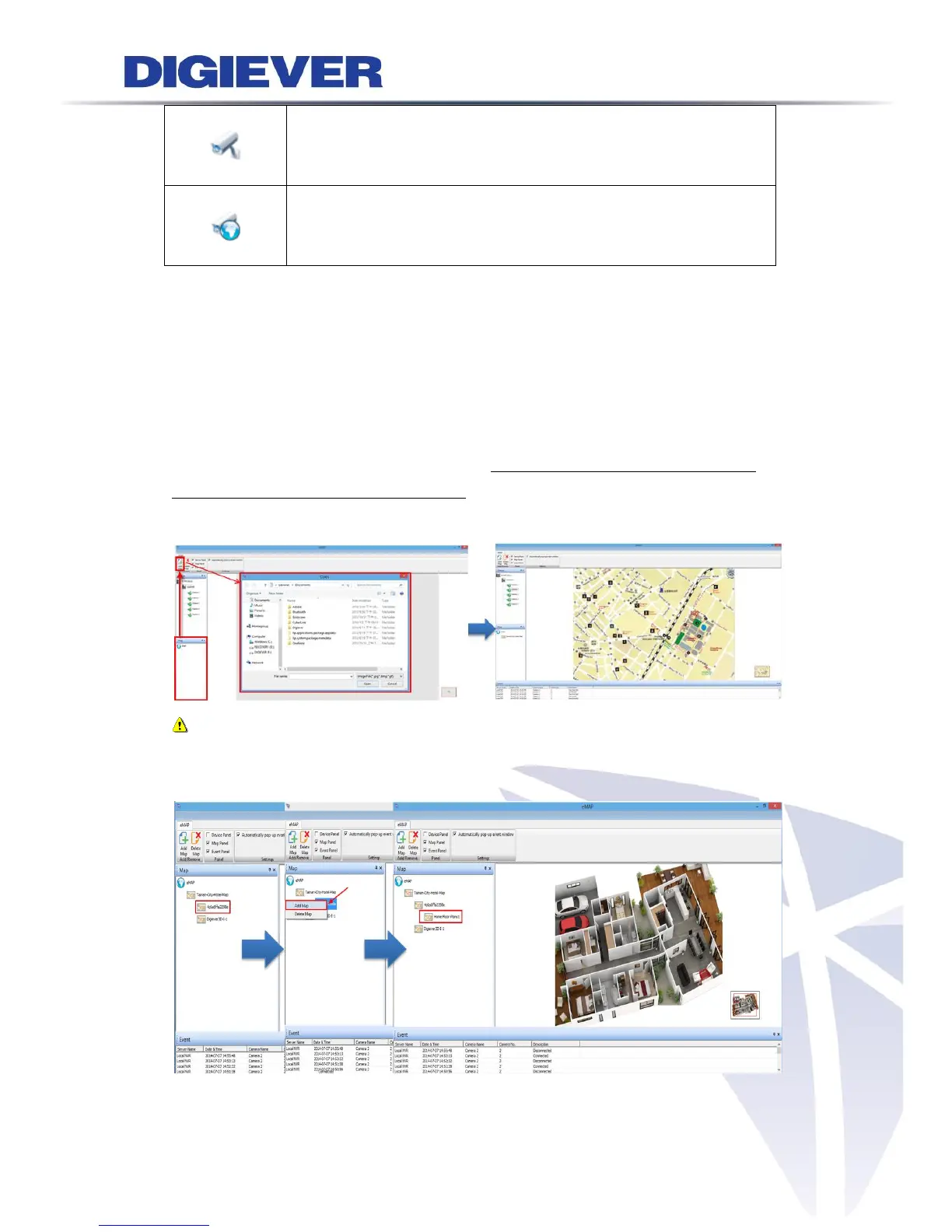
E-Map allows users to expand multi-layer maps in different perspectives and deploy
cameras on the maps.
1. Add a Map
NVR provides two methods to quickly add a map:
(1) Add Map Button: To add a map, please click the map on map panel and click
“Add Map” button in Add/Delete column to build sub-layer of map. A window will
pop out for you to select a map to add in NVR.
Note: The accepted image formats are PNG, BMP and JPEG.
(2) Right-click on Map Panel: Right-click on the map to build sub-layer of map.



 To Next Page