119
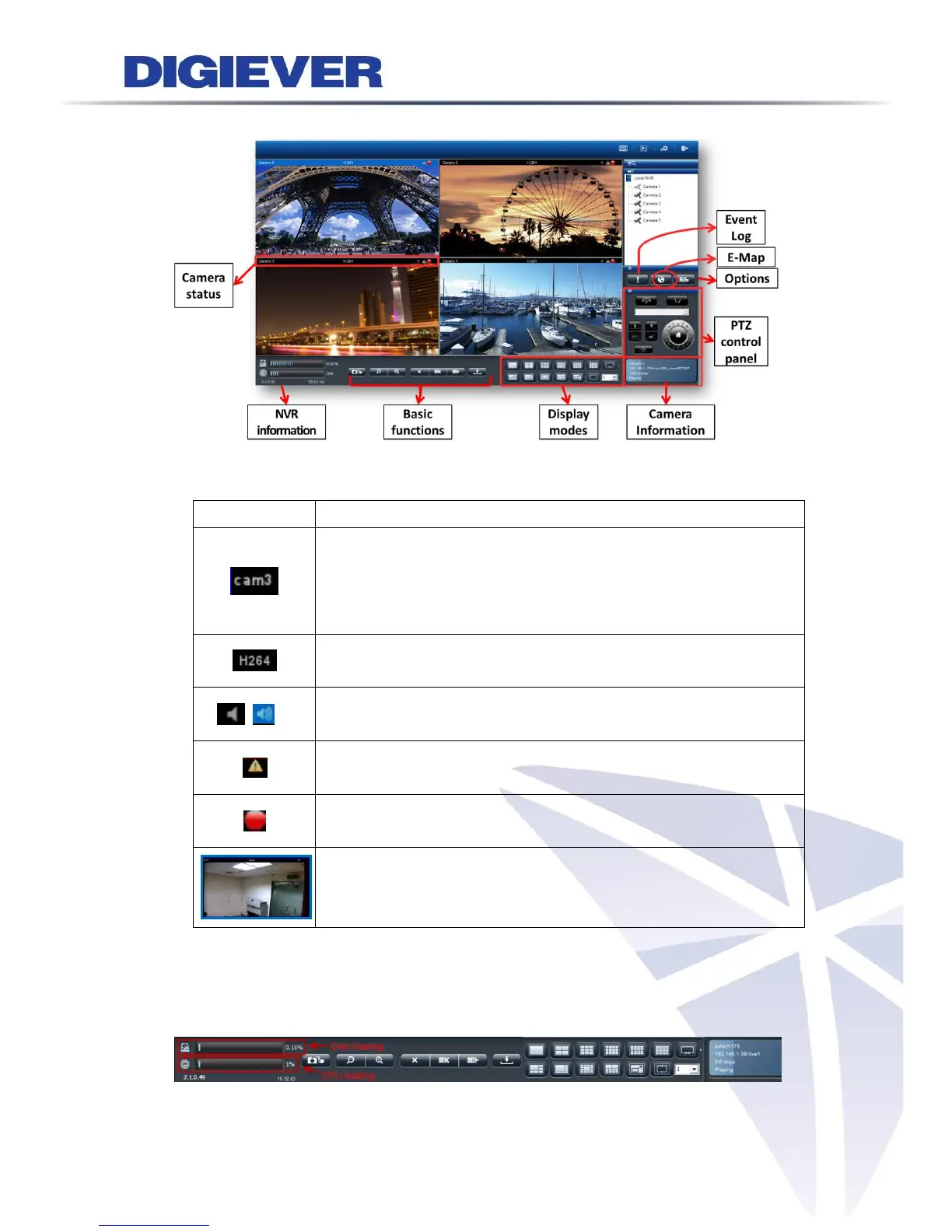
4.1.2 Main Functions for Liveview
1. Camera status
Camera name:
The name of the camera is located in the top left corner in each
video window. Users can rename the camera via the path
“Configuration->IP Camera->Camera Settings.”
Video compression format:
M-JPEG/MPEG-4/H.264
Audio: Once camera supports audio, NVR shows audio in blue
when you select the window. Vice versa, NVR shows audio in grey.
Event: When event happens, NVR shows warning to user for
instant alert.
Recording status:
The window shows whether camera is recording or not.
Blue border:
The outline border surrounds the selected window to highlight
the focus image.
2. NVR information:
(1) Firmware version:
Users can find out the firmware version directly without entering configuration page.



 To Next Page