144
4.3 Playback
Playback is a function that allows users to view recorded videos from cameras
connected to NVR. NVR offers synchronized playback up to 16 cameras and easy
steps to help users sort through the recorded videos quickly. Playback video can be
viewed in full screen; snapshots can be taken and saved during a video playback.
4.3.1 Steps to Playback Videos
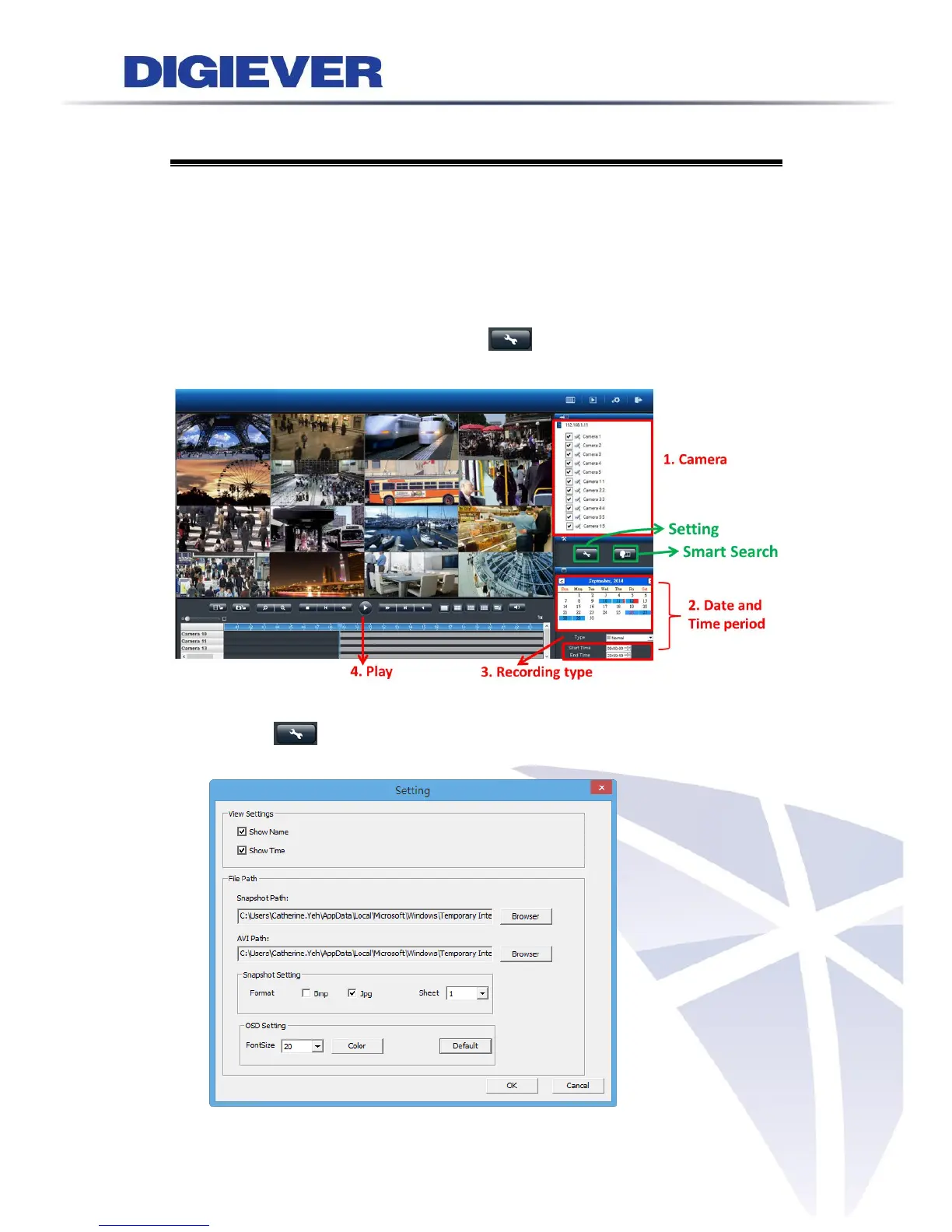
Before viewing recorded videos, “Setting” button is offered to set recorded
videos for playback.
Setting: Please click the button to set view settings and file path such
as snapshot path and format, AVI path, and OSD setting.



 To Next Page