182
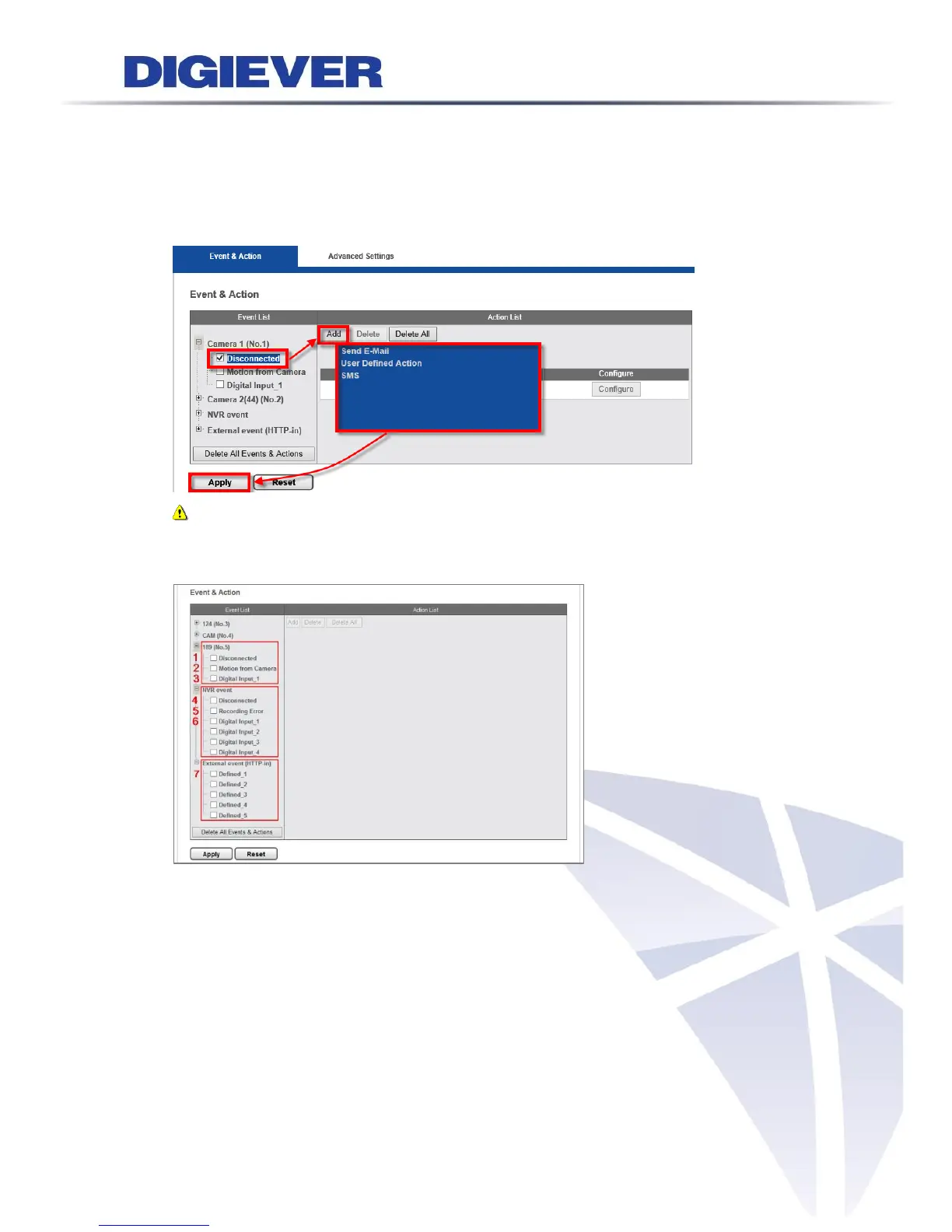
during monitoring and recording to notify users when necessary. When an event occurs,
NVR will perform certain actions.
Select an event type and click “Add” to select an action. Then, click “Apply” to save
setting.
Note: The action will be only triggered when the action is added to the event.
1. Event types
(1) Camera event: Disconnected
(2) Camera event: Motion from Camera
(3) Camera event: Digital Input
(4) NVR event: Disconnected
(5) NVR event: Recording Error
(6) NVR event: Digital Input
(7) External event (HTTP-in)
Event could be triggered by external HTTP-in CGI command. It allows users to define
up to 5 different HTTP-in events. With the “External Event”, users can set its actions



 To Next Page