235
server.
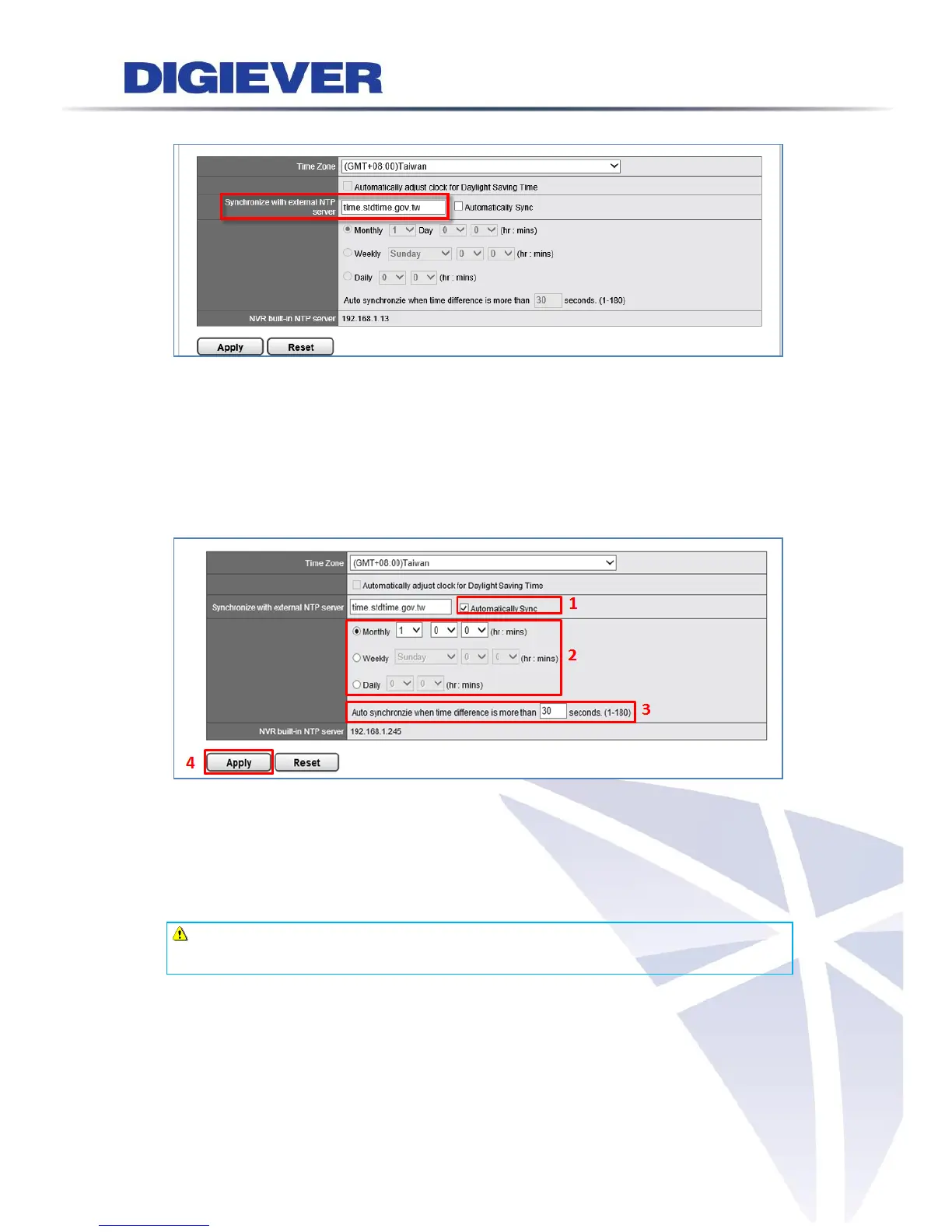
Automatically sync
Users can also decide when to automatically synchronize with external NTP
sever by selecting “Automatically Sync.” Based on users’ preference, NVR
provides three selections to automatically synchronize with external NTP server:
Monthly, Weekly or Daily
(1) Select “Automatically Sync”
(2) Set up when to automatically synchronize with external NTP sever
(3) Fill in the number to start auto synchronize when time difference is over user
defined seconds
(4) Click “Apply” button to save setting
Note: The file recorded in overlapping time will be saved in “time overlap” after
NVR synchronized with NTP server
Built-in NTP server in NVR
To ensure the accuracy of time, NVR provides NTP server function for client device to
synchronize the time clock. The built-in NTP server address follows NVR IP address.



 To Next Page