220
3. Advance Settings
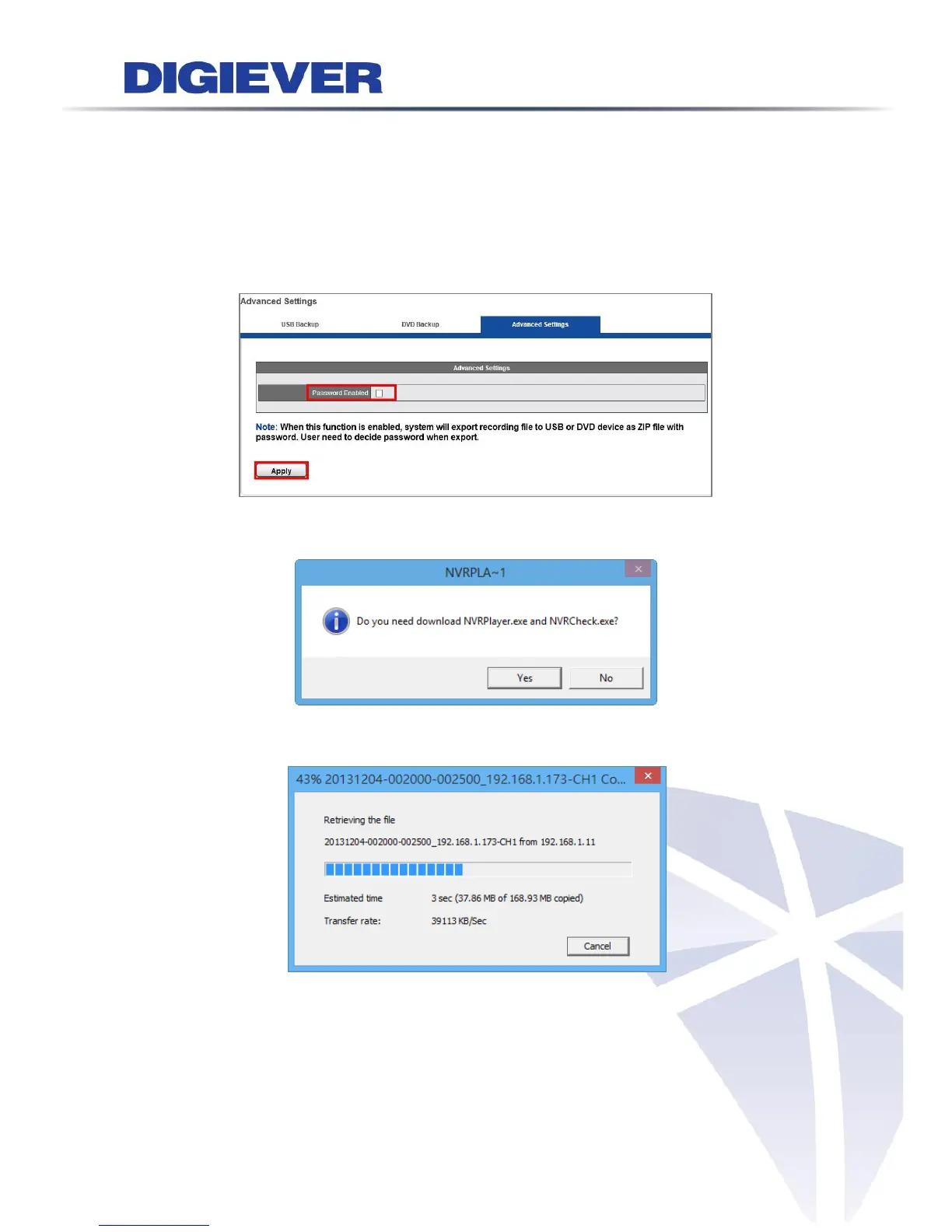
Encryption of Exported Files
Users can encrypt exported files to USB or DVD device as ZIP files in playback page.
Users need to decide password when exporting files in remote playback.
Please enable the function and click “Apply” to finish the setting.
A window will pop up after users click export button in playback page.
A window will pop up to display download status.
On remote web browser, a window will pop up to ask users to enter password for
encryption after successfully exporting files.
On local NVR, a window will pop up to ask users to enter password for encryption
before exporting files.



 To Next Page