222
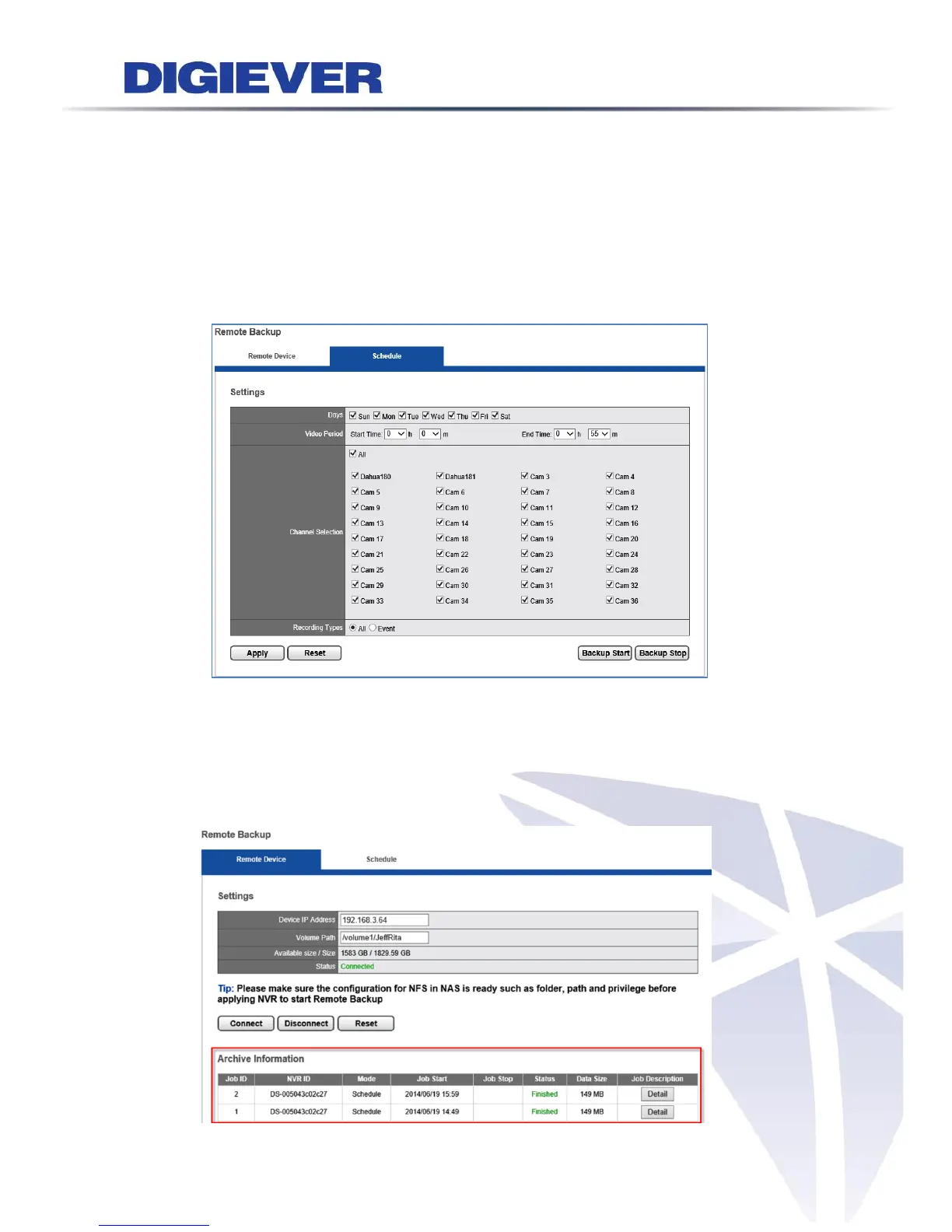
Once NVR successfully connects to the device, the status will show “Connected”
and display the total size of the device as well as and the available size for remote
backup.
As above picture, the total size of the device is 1829.59GB and it has 1582GB
available size for remote backup.
2. Set up Remote Backup Schedule
Please go to configuration page: Management > Remote Backup > Schedule
Set up Days, Video Period, Channel Selection and Recording type that you
would like to remote backup in the future. Then, click “Apply” and “Backup Start”
button to save setting and start remote backup.
3. Check Job information on Remote Device page > Archive Information



 To Next Page