232
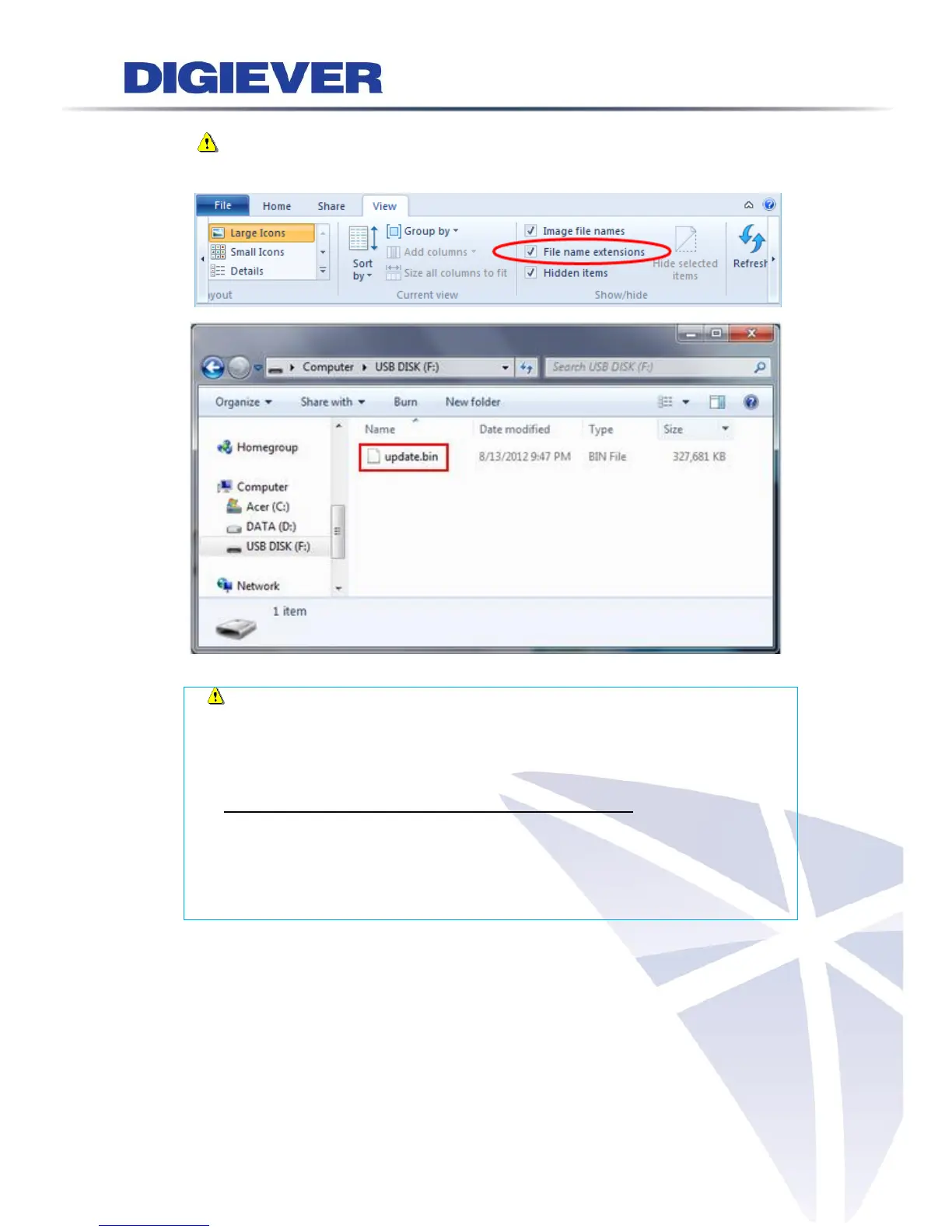
Note: If you enable File name extensions, the file name will become
“update.bin”
Note: To recognize the USB device well, please format the USB device
to FAT32 file system first, and make sure you delete all other files and keep only
“update.bin” when you enable File name extensions.
Instructions to format a USB device to FAT32 file system:
I. Click on the "My Computer" shortcut on the desktop of your computer
II. Right-click the flash drive and choose the "Format" option
III. Change the selection under "File System" to FAT32
IV. Click the "Start" button to begin the formatting process
(3) Connect NVR to a monitor and insert USB device to the port of NVR
To start local display upgrade, please connect NVR to a monitor (via HDMI or
VGA) and insert USB device to the USB port of NVR.
(4) Power on the monitor and NVR, and log in NVR.



 To Next Page