231
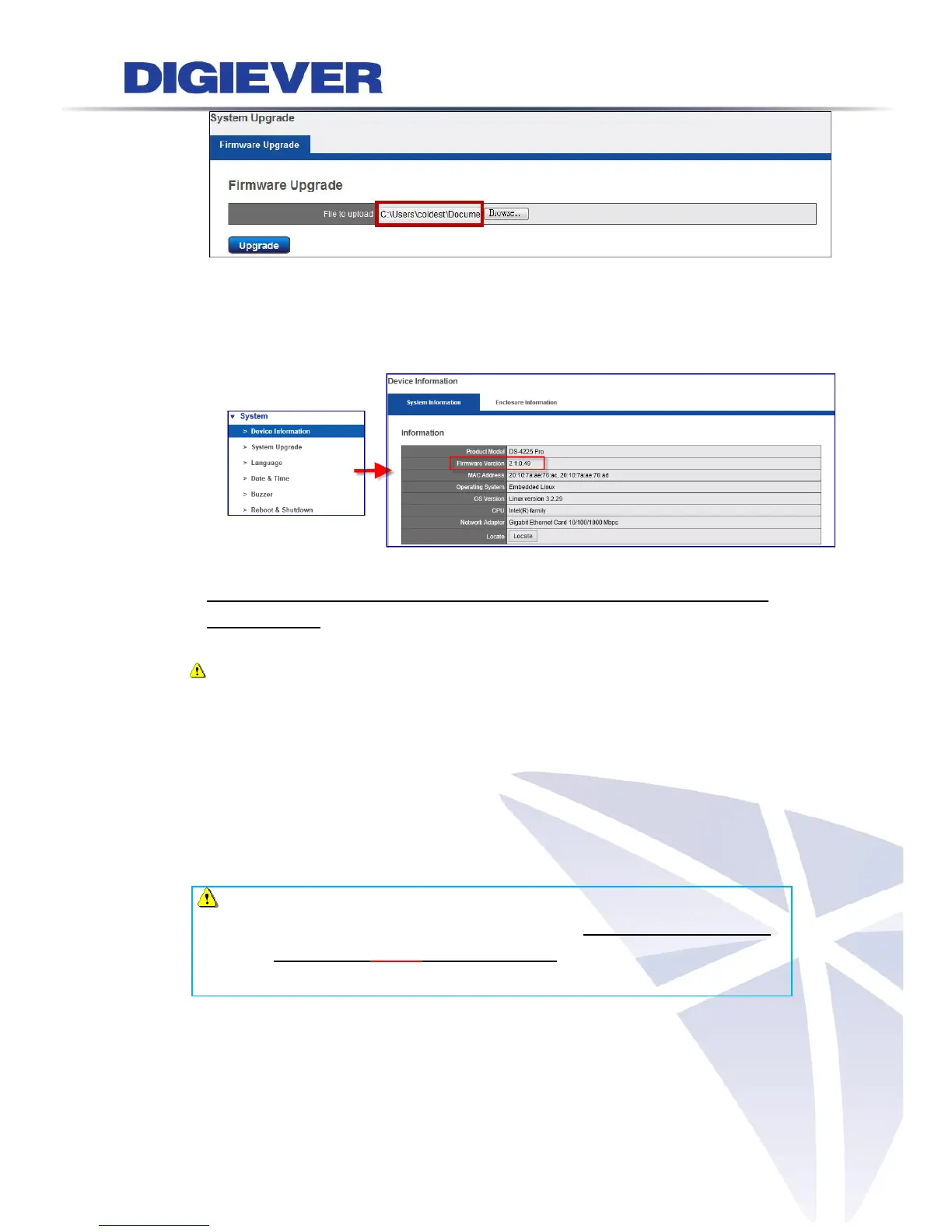
Once system upgrade is finished, NVR will reboot itself.
Users could go to “Device Information” from the drop down list of “System”
so as to double check NVR firmware version.
2. Upgrade via Local Display( directly connect to a local monitorvia HDMI, DVI or
VGA connector)
Note: Upgrade via Local Display is supported in Pro+ series and Pro series.
(1) Download latest firmware file from website and save the firmware file to a
local computer.
(2) Completely unzip the file, and save it to USB device
Please save the file to your USB device after downloading and unzipping the
firmware.
Note: If you want to upgrade the NVR via USB device on local display UI, after
downloading and unzipping the file, please rename the unzipped .bin
file name to "update" in the USB device, in order to have it recognized
by the local NVR correctly.



 To Next Page