230
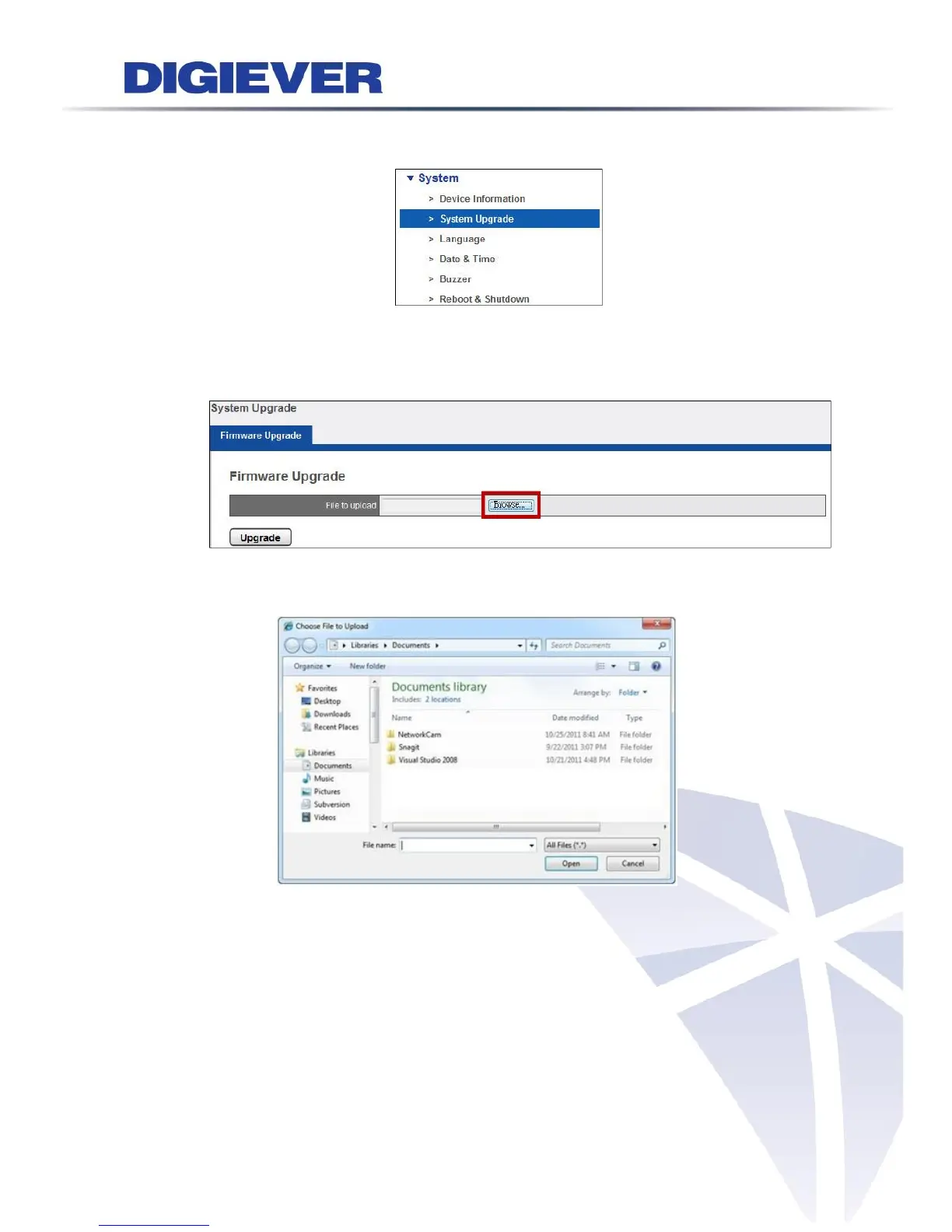
(3) Go to “Configuration” page→Select drop-down menu of “System”→“System
Upgrade” to begin.
(4) Press "Browse" to find the latest firmware
After downloading the firmware file, users can upgrade new firmware from a
folder of local computer and browse the folder to upload it.
A window will pop up to ask for the folder to upload the firmware.
(5) Click “Upgrade”
After selecting the file, please click “Upgrade” to renew the NVR.



 To Next Page