130
NVR will automatically change to stream2 for smooth real time viewing
experiences.
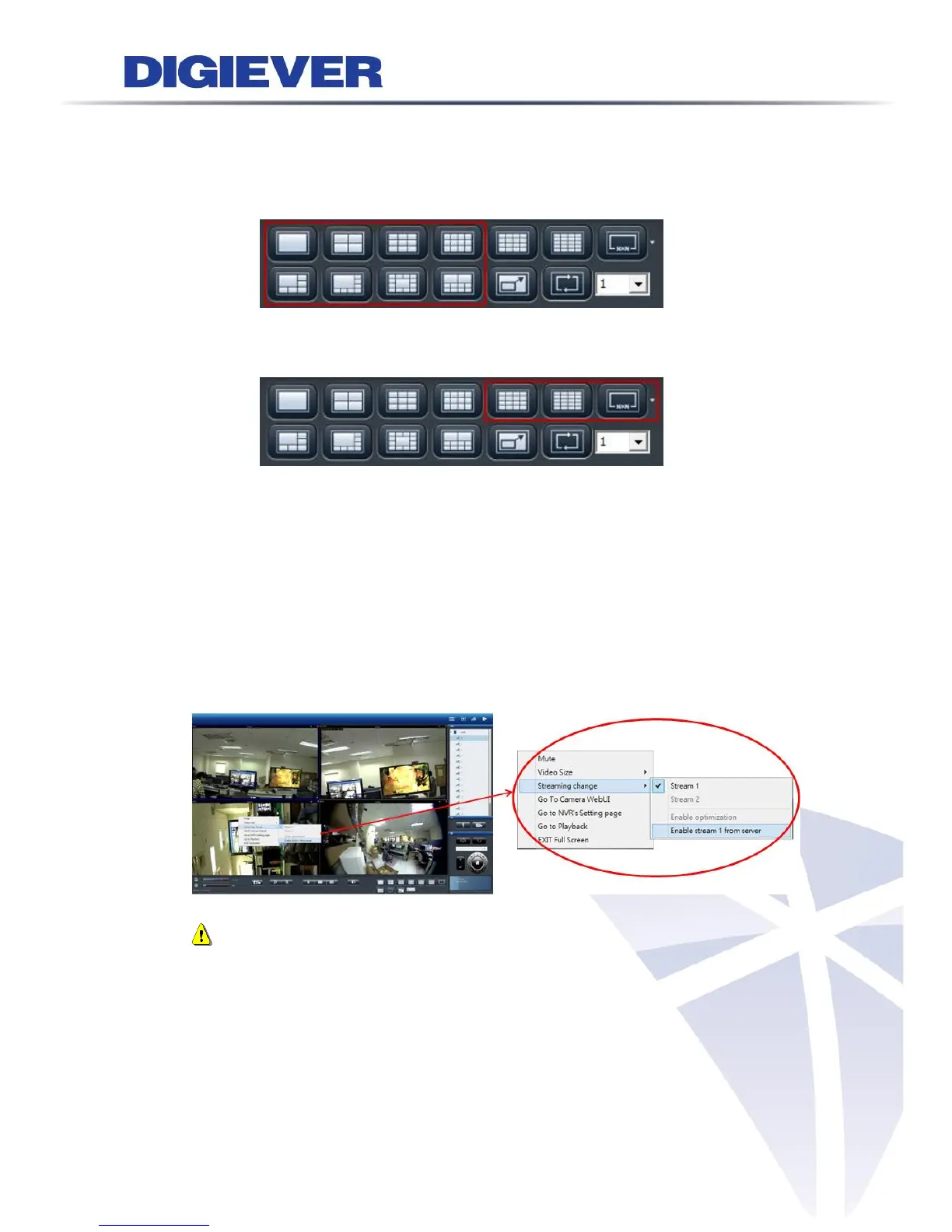
1/3/4/5+1/8/9/10/12/12+1-ch display mode:
liveview image automatically show the main stream(stream1)
16/20/25/30/36/42/49/56/64-ch display mode:
liveview image automatically show the sub stream(stream2)
When “Optimize” is disabled, users can manually adjust streaming type, which will
be memorized in different display modes.
(2) Stream from Server
In case that NVR performance is violated by camera limitation, stream from server
is an optional choice for users to view video images. It is highly recommend to use
“Enable Optimization” to perform real-time monitoring
Note: Enable stream 1 from server may influence the efficiency of NVR.
4. Go To Web: Go to camera configuration page.
5. Go to NVR's Setting page: To open a new browser to camera configuration page.
6. Go to Playback: To open a new browser to Playback.
7. EXIT Full Screen: To exit full screen



 To Next Page