164
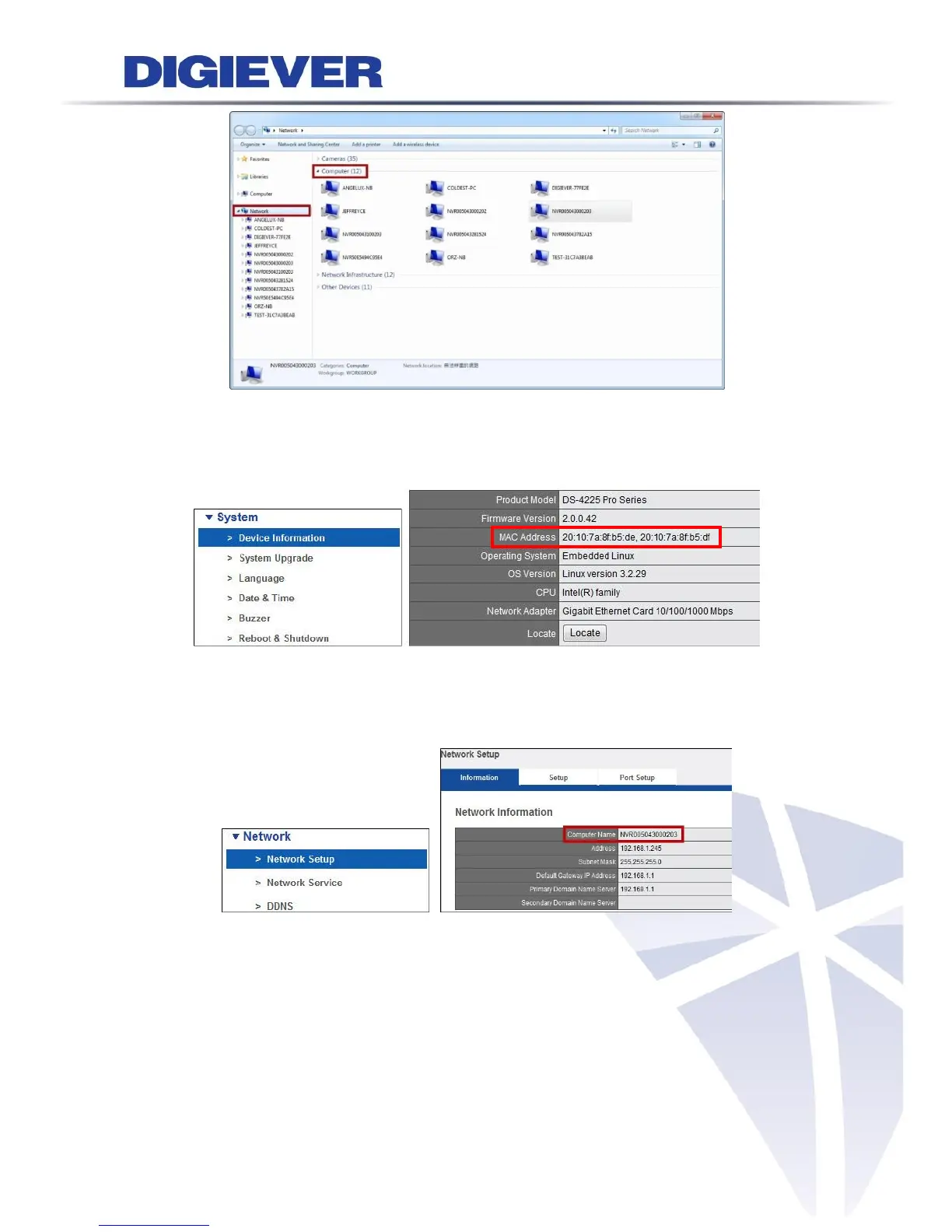
To acquire Mac address, users can refer to “System” > “Device Information”
>“System Information” in configuration page.
“Computer Name” is shown in “Network” > “Network Setup” > “Information” in
configuration page.
For example, the computer name is NVR005043000203.
Thus, users can select a NVR in Network folder by this computer name.
As you select the NVR, a window will pop up and ask to enter network password.



 To Next Page