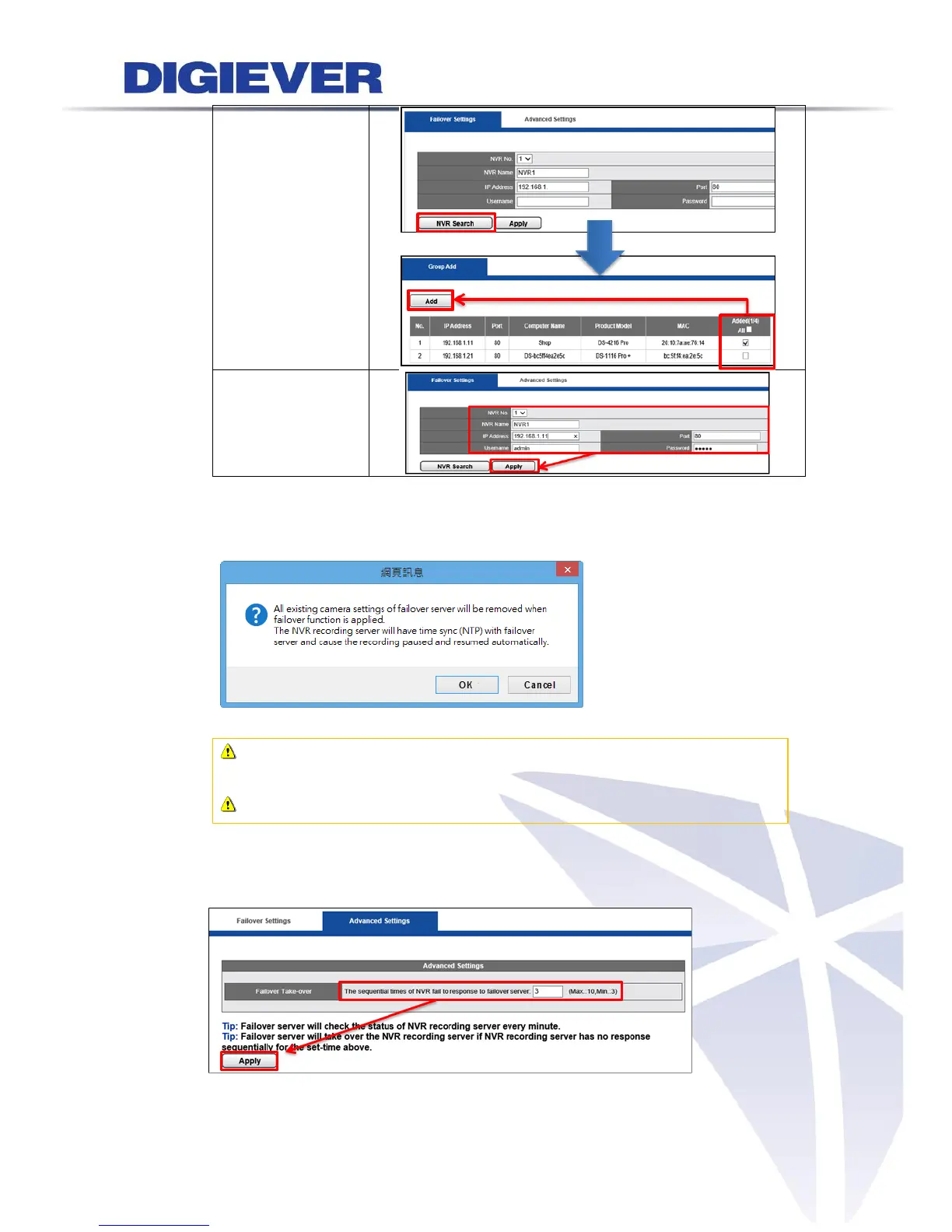
A window will pop up before failover server starts adding NVR recording
server. Please read it carefully and click “OK” button to continue.
Note: Failover license channels must be more than NVR recording server
license channels.
Note: NVR recording server can be added into “one” failover server.
(3) Set up the time when to take over NVR recording server in Advanced Setting
page. Then, click “Apply” button.



 To Next Page