Dobot M1 User Guide 7 Maintenance
Issue V1.3.4 (2019-05-23) User Guide Copyright © Yuejiang Technology Co., Ltd
122
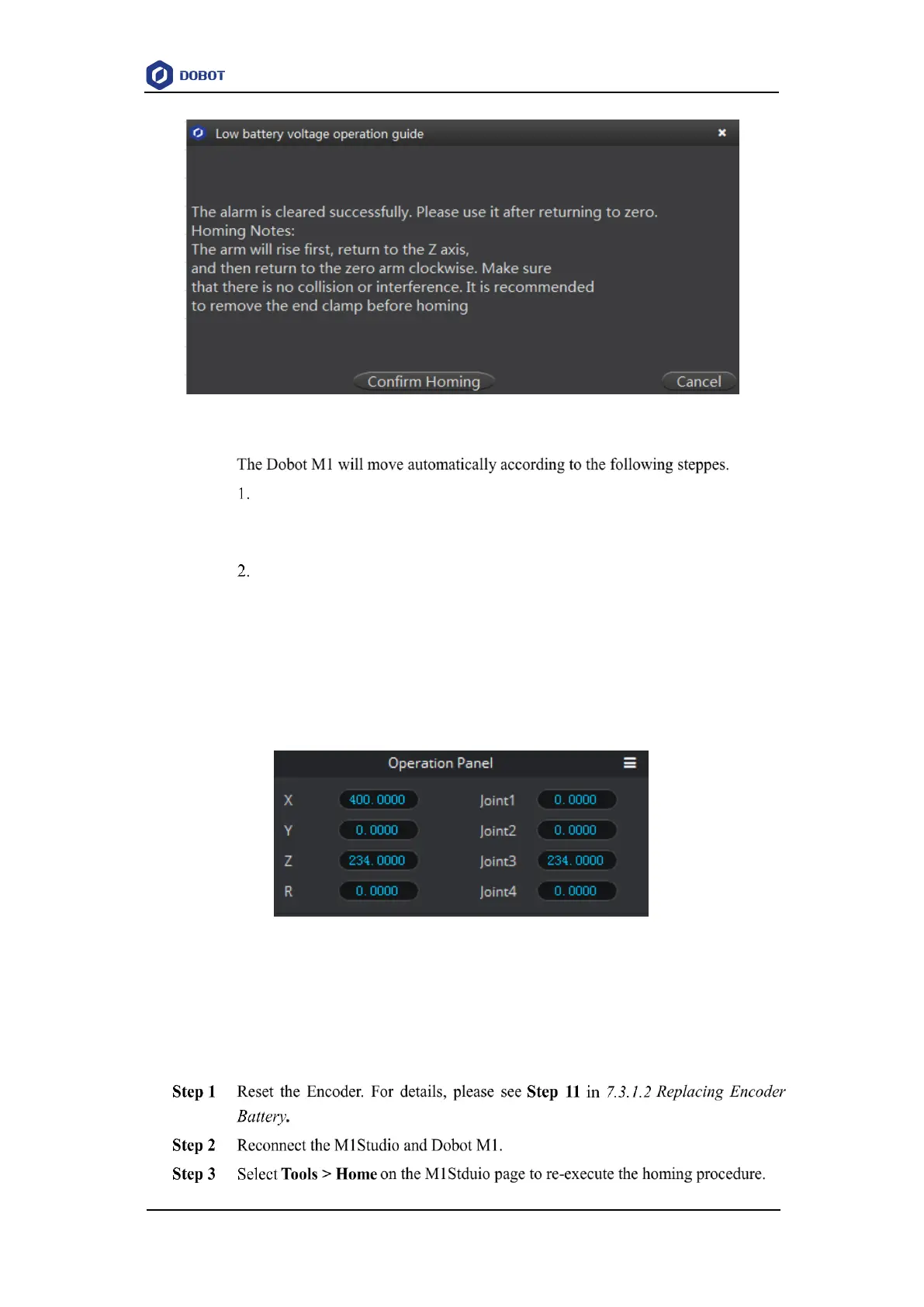
Figure 7.5 Start homing
J3 moves to the upper limit with a signal triggered by the homing switch, and
moves backward at low speed to separate from the homing switch, and then
stops moving.
J1 and J2 move to the limit as lefty hand orientation with signals triggered by
homing switches of J1 and J2, and move backward at low speed to separate from
the homing switches, and then stop moving, indicating that the Dobot M1 has
moved to the homing point.
After the homing procedure is completed, the coordinate of the homing point is
shown in Figure 7.6.
Figure 7.6 Homing point
Troubleshooting
If the coordinate you get is quite different from Figure 7.6, it indicates that the homing
procedure is failed, please re-execute as follows.



 To Next Page